Pro AI Writer · Tutorial
Someone has one task to finish. This is the page that gets them there.
It reads the tutorials ranking for that task, then walks the job through with examples. One task. Start to done.
- One task, not a course. — The format keeps the outline on a single job a reader can finish.
- It reads the walkthroughs already ranking. — Live top ten for that task — structure, depth, and the tips they all include.
- Examples are a requirement, not colour. — They sit in the outline, and a thin examples section shows on the score.
- Client facts stay inside the brief. — A branded walkthrough never invents a feature they don't ship.
- $2 a walkthrough draft. — Headline options 40¢. Publishing is free.
- A hundred-point score and a scanner. — It rewrites machine-sounding lines. It won't claim a detector pass.
- Publish when the steps hold up. — WordPress or stored credentials. Link suggestions at publish time.
One task, walked all the way through,
on a page built to compete for it.
A tutorial search is someone with a job to do right now.
They want the steps, in order, and they want to finish.
If they bounce back to Google, that page did not answer the search.
So this reads the tutorials ranking for the task first.
It covers what they cover, then walks the single task through with examples and tips.
One finishable job. Not a course dressed up as a blog post.
No card required. See every tool and every price before you spend anything.
Write a tutorial for a task you did last week.
Then try to finish the job from your own draft. If you can't follow it, neither can a reader. The account is free and takes no card.
No card required. See every tool and every price before you spend anything.
How it writes one
It studies the tutorials that already finish the job.
Vague tutorials rank until something clearer shows up. This is how you become the clearer one.
- 01
Pick Tutorial and name the single task
The format setting changes the outline and the rubric toward a finishable walkthrough.
- 02
It pulls the ranking tutorials for that task
Steps, tips and depth benchmarks, read from the live top ten.
- 03
The company brief goes in
Client facts as source material only, plus the topics to avoid.
- 04
Walkthrough body first, then tips, then intro
The introduction is written last, from a procedure that already works.
- 05
Score and scan
Weak depth and missing terms come back as chips.
- 06
Publish to WordPress or stored credentials
No schema output. Internal links suggested at publish time.
What lands in your account
A walkthrough you can hand a client without rewriting the steps.
- The article
- Headed, formatted, HTML ready for the blog — or route into a guest-post order.
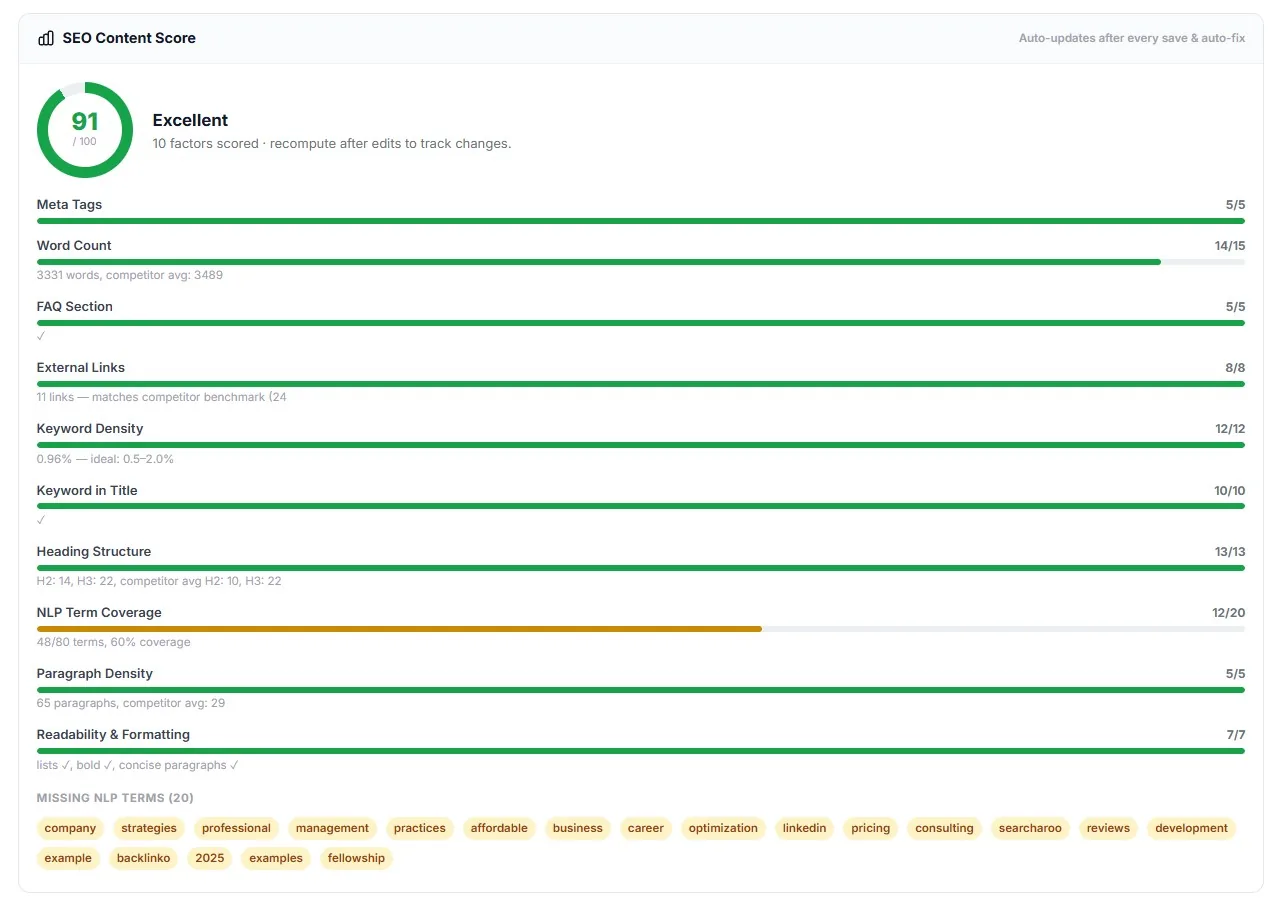
- A 100-point content score
- Same rubric every format uses, broken down by category.
- An AI-likeness report
- What the scanner flagged and rewrote — a local scanner, not a promise.
- Headline options + featured image + meta
- Meta title and description only. No schema markup.
A draft is $2. Publishing is free.
A batch of headline options is 40¢. A failed run refunds itself. Credits don't expire.
No card required. See every tool and every price before you spend anything.
The countable part
What it costs and what it does.
- Format
- Tutorial — one of eleven, set per article.
- The search it matches
- Someone trying to complete one hands-on task, step by step. Narrower than a general how-to.
- Full draft
- $2.
- Headline batch
- 40¢.
- Featured image redo
- 80¢.
- Publish to blog
- Included. WordPress or stored credentials.
- Company brief
- $2, once per client. Refunded if it fails.
- Internal links
- Suggested at publish time — not inserted during generation.
- What it does not do
- No schema markup. No detector pass claim. No delivery date.
The dollar figures above are what these work out to at the standard credit rate. Buy credits in bulk and they cost less. Every button prints its own cost before it spends.
What it costs to find out
Pick the tutorial task free. The price shows before you spend.
The account needs no card. Add a client, open Tutorial, and the $2 draft cost shows on the button before it spends.
Creating the account is free. Not a trial that takes your card "for verification" — no card at all, and no call with anyone.
And nothing expires on a timer. Credits sit in the account until you spend them.
When you're ready to spend
$0.35–$0.50
per credit, improving with the volume you commit to
See the full pricing page →What you are not signing
No contract, no minimum, no quote and no call. Buy credits monthly if the volume suits you, or buy a block once and owe nothing after it.
Every deliverable in the platform prints its credit cost on the button that spends it, so you always price the work before you run it.
No card required. See every tool and every price before you spend anything.
Before you ask
The questions we'd ask before pointing this at a client.
- What does a tutorial do for my SEO?
- It matches a search intent no other format on your site covers. A tutorial search is someone trying to finish one task, and they judge in seconds whether your page will get them there. To be in the running the page also has to cover the task the way the tutorials already ranking cover it, which is what the research step is for.
- How is Tutorial different from How-To Guide?
- How-To covers a procedure end to end for a searcher who wants the steps. Tutorial is narrower and more hands-on — one task, with examples and tips built into the outline as requirements rather than extras.
- Will this move my rankings?
- We won't promise a ranking change from one page, because nobody honestly can. What it does is make the page eligible to compete: it covers the task to the depth the ranking tutorials do, and it finishes the job the searcher came to finish.
- Will it pass an AI detector?
- We won't promise that. An on-board scanner flags machine-sounding passages, rewrites them, and reports what it changed.
- Where does it publish?
- WordPress, or any blog reachable with stored login credentials. Internal link suggestions at publish time. Not Shopify, Wix, Webflow or Squarespace.
- What does a draft cost?
- $2. Headline options are 40¢. Publishing is free, and a failed run refunds itself automatically.
One task, walked all the way through,
on a page built to compete for it.
Here is the part that has nothing to do with us. Every half-finished tutorial ranking above your client is teaching readers to leave. Someone will publish the clear one. It may as well be you.
Picture six months out. Either you're still pasting vague walkthroughs from a chatbot. Or every task your client's buyers search has a scored tutorial written from their own brief.
Write one for a task you finished last week. Then follow your own steps. That is the whole test.
P.S. — The scanner cannot promise a pass on any commercial detector, and we say so before you ask. Create the account, run one tutorial, and try to finish the task from the draft alone. No card to get that far, and the draft is $2.
No card required. See every tool and every price before you spend anything.
The rest of Pro AI Writer