Campaign Builder
One link is not a strategy. A month of the right mix is.
Guest posts, releases, citations, Tier 2, articles. This sets the mix, the ratio and the order, then prices the whole month before you order anything.
- Seventy-two months, already designed. — 24 local, 24 national, 24 e-commerce, across four intensity levels.
- Or type a budget. — The builder picks the mix, the ratio and the order. All of it stays editable.
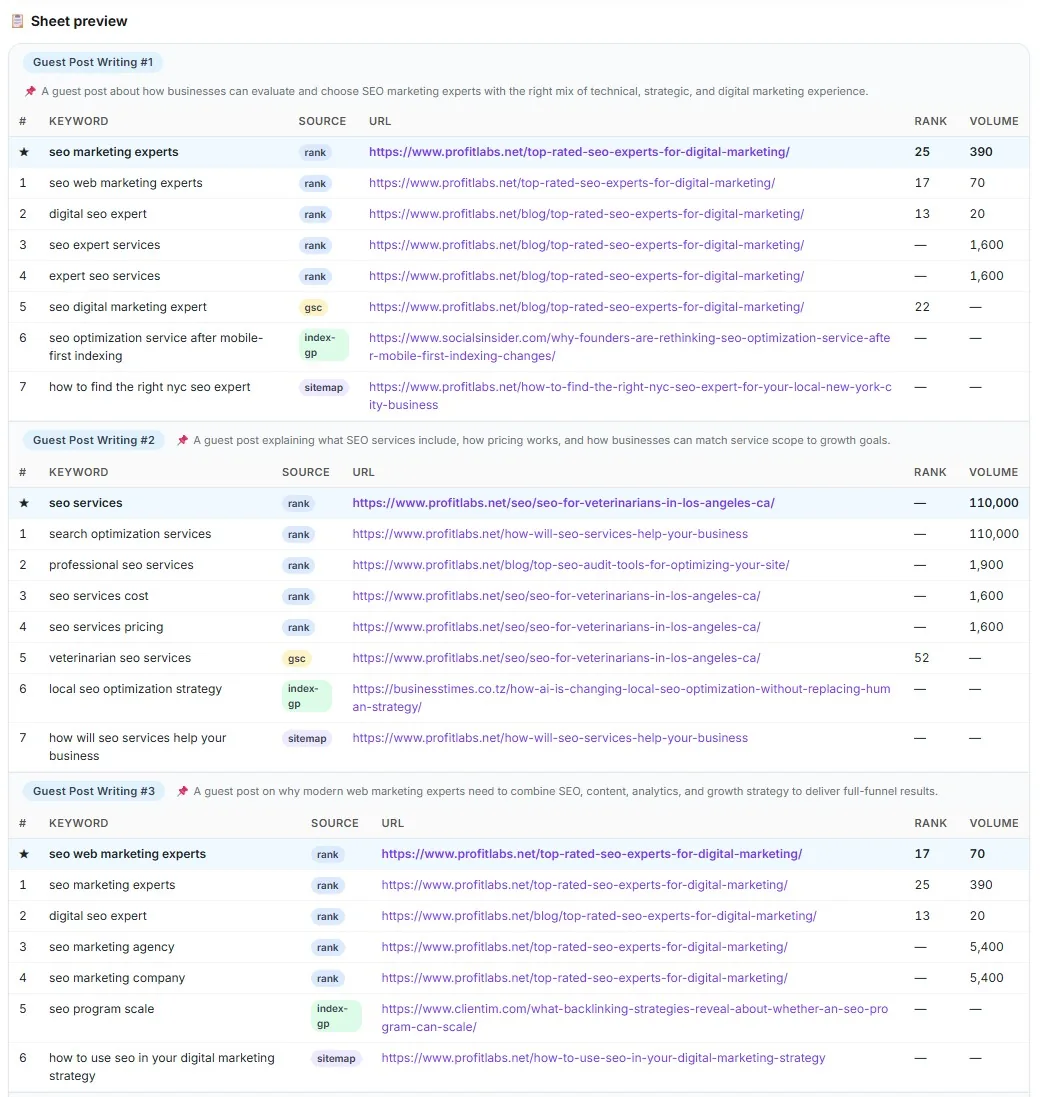
- It points the links at the right pages. — Target URLs suggested from ranks, Search Console, indexed URLs and the sitemap.
- Every link type in one plan. — Guest posts, releases, syndication, citations, AI SEO, Tier 2, articles.
- Keywords grouped by what they sell. — Clusters read the company brief, not lookalike keywords.
- A sheet you can send out. — A Google Sheet of the month, for the people who never log in here.
- Then the plan becomes work. — One CRM column of cards, with owners set and launch buttons ready.
- Planning is cheap. The links bill later. — Running the builder costs $6. Each product charges when you order it.
- No delivery-date promise. — You get a priced plan and cards. Status lives in each tool.
Type a budget.
Get the whole ranking month designed.
Rankings don't come from one link. They come from a pattern.
Different link types do different jobs.
Guest posts and press releases build authority. Tier 2 pushes power into those.
The ratio and the order are what make them add up.
Buying links one at a time skips both.
So here the month gets designed first. Then you approve it.
No card required. See every tool and every price before you spend anything.
Why buying links one at a time stalls
A pile of links is not a campaign.
Every tool hands you a menu and calls it choice.
You buy what you recognise. Then something cheap.
Then nothing for three weeks.
That is spending. It is not a strategy.
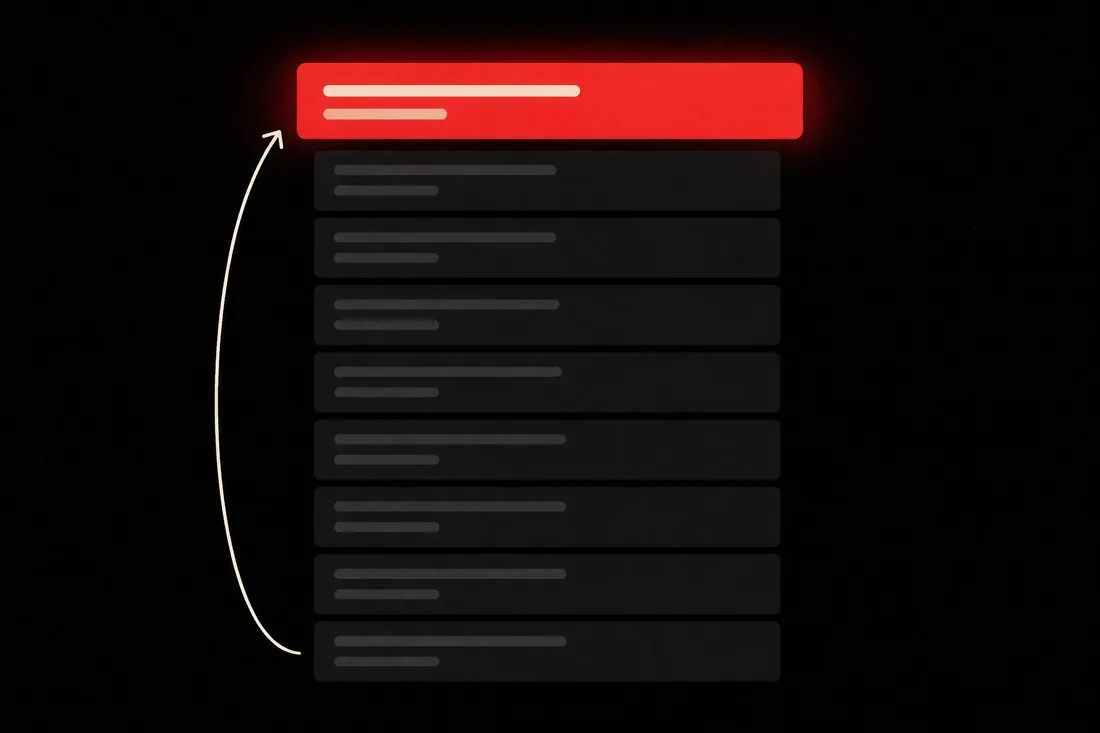
A booster has nothing to boost until the asset exists.
A new page rarely moves until something links to it.
A designed month has a ratio, an order and a stop point.
Week-two cancels are usually planning failures, not tool failures.
So let us be straight about what a plan is not. It is not a date.
We publish no delivery dates and we will not invent one. Status lives in each tool.
Open one strategy and read what a month of links costs.
The account is free and takes no card. Seventy-two designs to look through. Pick the month you would sell.
No card required. See every tool and every price before you spend anything.
How it works
How a month gets designed.
Pick a track and an intensity, or type a budget. Approve the priced screen. The work lands on your board as cards.
- 01
Pick local, national or e-commerce
Four intensity levels each. Or enter a credit budget and let the builder fill it.
- 02
Read the mix and the total
Every line is editable. Nothing is ordered yet.
- 03
Keywords cluster against the brief
Groups follow the services they sell. Target pages are suggested from their own data.
- 04
Export the sheet if you need sign-off
A Google Sheet of the full month, for anyone outside the platform.
- 05
Approve, and cards land on the CRM
Owners assigned. Launch buttons ready. One column of work.
- 06
Order each line when you're ready
Each product charges when you order it, not when you save the plan.
What you get
A month you can sell, and then run.
A plan with a total. A sheet. A board of cards. In that order.
- A priced campaign
- The mix, the quantities and the total, before anything ships.
- A Google Sheet
- For sign-off outside the platform.
- CRM cards
- One column of work, with launch buttons on it.
- Target URLs
- Suggested per cluster from live data. Override any of them.
- An editable mix
- Nothing is locked. Rebuild it until it fits.
Design a month you can't afford yet. Then shrink it.
Read the total. Rebuild the mix. Running the builder costs $6, and the deliverables bill when you order them.
No card required. See every tool and every price before you spend anything.
The facts
What the builder covers.
- Strategies
- 72 — 24 local, 24 national, 24 e-commerce × four intensities.
- Budget mode
- Type a credit budget and the builder designs the mix to fit it. Credits are the unit the platform bills in, and the pricing page has the rate. Fully editable afterwards.
- Builder cost
- $6 to run. Clusters can be regenerated.
- Fulfilment
- Charged when each product is ordered — not when the plan is saved.
- CRM hand-off
- A column of cards with owners and launch buttons.
- Delivery dates
- None published. Status lives in each fulfilment tool.
What it costs to find out
Price a whole ranking month before you order one link.
The account is free and needs no card. Open a strategy, read the mix, read the total. Nothing is ordered until you say yes.
Creating the account is free. Not a trial that takes your card "for verification" — no card at all, and no call with anyone.
And nothing expires on a timer. Credits sit in the account until you spend them.
When you're ready to spend
$0.35–$0.50
per credit, improving with the volume you commit to
See the full pricing page →What you are not signing
No contract, no minimum, no quote and no call. Buy credits monthly if the volume suits you, or buy a block once and owe nothing after it.
Every deliverable in the platform prints its credit cost on the button that spends it, so you always price the work before you run it.
No card required. See every tool and every price before you spend anything.
Before you ask
The questions we'd ask before pointing this at a client.
- What does a campaign do that buying links one at a time doesn't?
- It sets a ratio and an order. Link types do different jobs — an editorial link builds authority, Tier 2 pushes power into the links you already built, citations resolve who the business is. Bought at random they don't add up. Bought as a designed month, they do.
- Why does the order matter?
- Because some of it has nothing to work on until the rest exists. A booster needs an asset to boost. An article needs something pointing at it. The strategies sequence that for you, and you can change any line before you approve.
- Will a campaign make me rank?
- We won't promise that, and nobody honestly can. What a plan gives you is a mix with a ratio and an order, priced before you spend, and cards on the board so the work actually gets done. The ranking is what the work is for, not something we can sell you.
- Does approving a plan charge for all the links?
- No. Planning and fulfilment are separate. Each product charges when you order it.
- Can I change the mix?
- Yes. Everything is editable. Budget mode is a starting point, not a lock.
- What does running the builder cost?
- $6. The account is free to open, so you can read the catalogue first.
- Do you promise delivery dates on the campaign?
- No. You get a priced plan and CRM cards. Status lives in each fulfilment tool, and we don't publish dates we can't stand behind.
Type a budget.
Get the whole ranking month designed.
Here is the part that has nothing to do with us. The competitor above your client is building links every month, in a mix, in an order. Every month you buy one thing at a time, that pattern pulls further ahead.
You can close that with a month that was designed before it was bought. Pick a card, or type a number.
Read the total. Rebuild the mix until it fits. Then approve it and watch it land on the board as work.
P.S. — I know what's making you hesitate, and it isn't the $6 to run the builder. It's that you've paid for links before and never knew whether they were the right ones in the right order. So the account is free, there's no card, and every line shows its price before you order it. Open one strategy and read the total. If it isn't clear, you've lost a click and nothing else.
No card required. See every tool and every price before you spend anything.
The rest of it