Rank Tracker
See where every client ranks without paying per seat for it.
Daily positions, the local map grid, and Search Console side by side. A hundred keywords tracked free for a month with your signup credits.
- Daily or weekly checks — Or manual-only. You choose, per project.
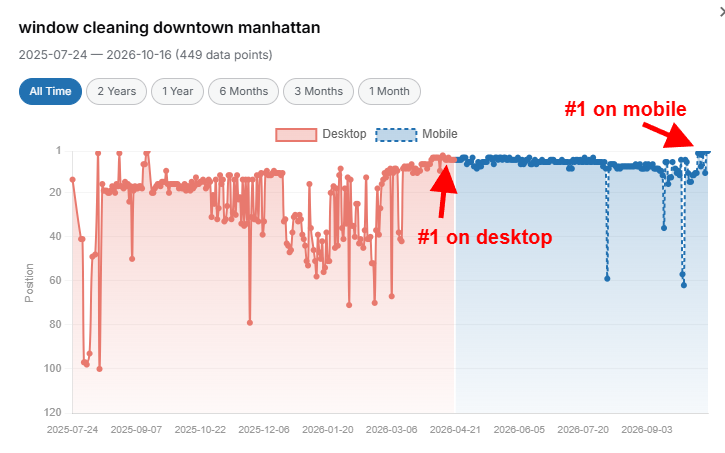
- Three engines, two devices — Google, Bing, Yahoo — desktop and mobile, tracked separately.
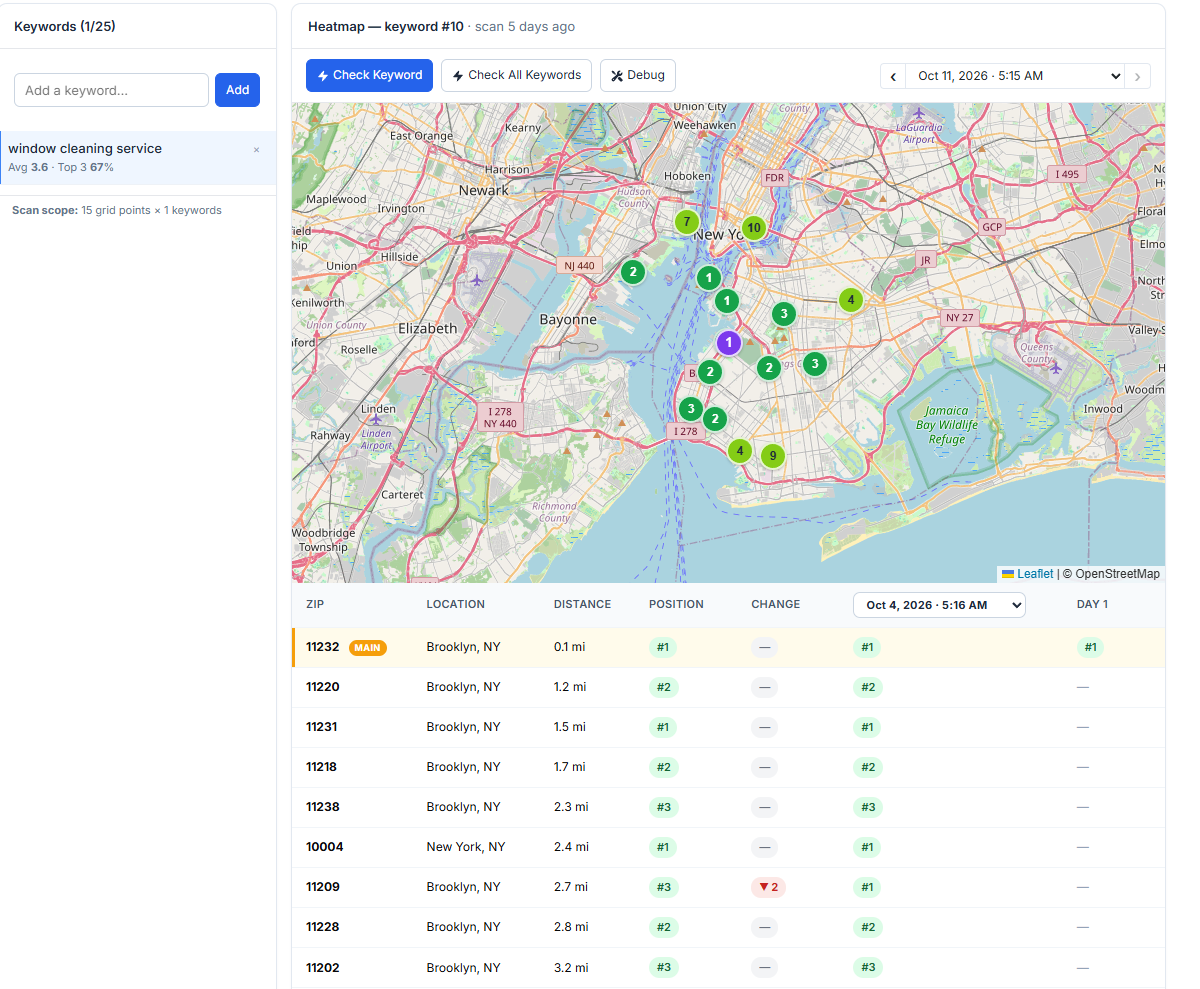
- Local grid heatmaps — Map-pack position measured block by block.
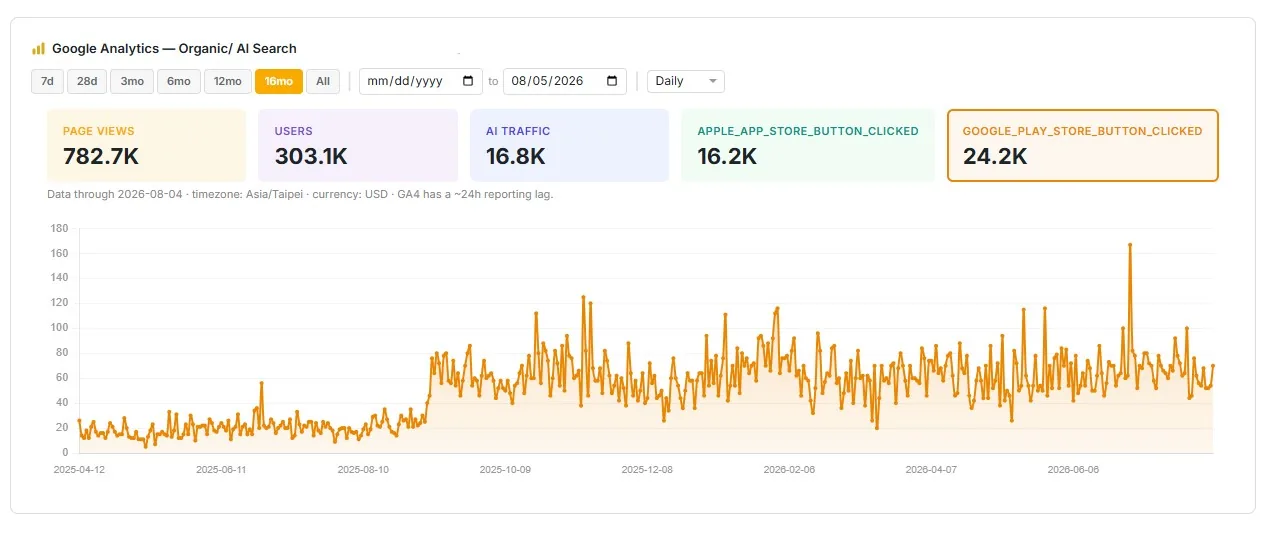
- Search Console and Analytics — Impressions, clicks, queries, traffic. Free panels.
- SERP features — Snippets, PAA, local pack, shopping, top stories.
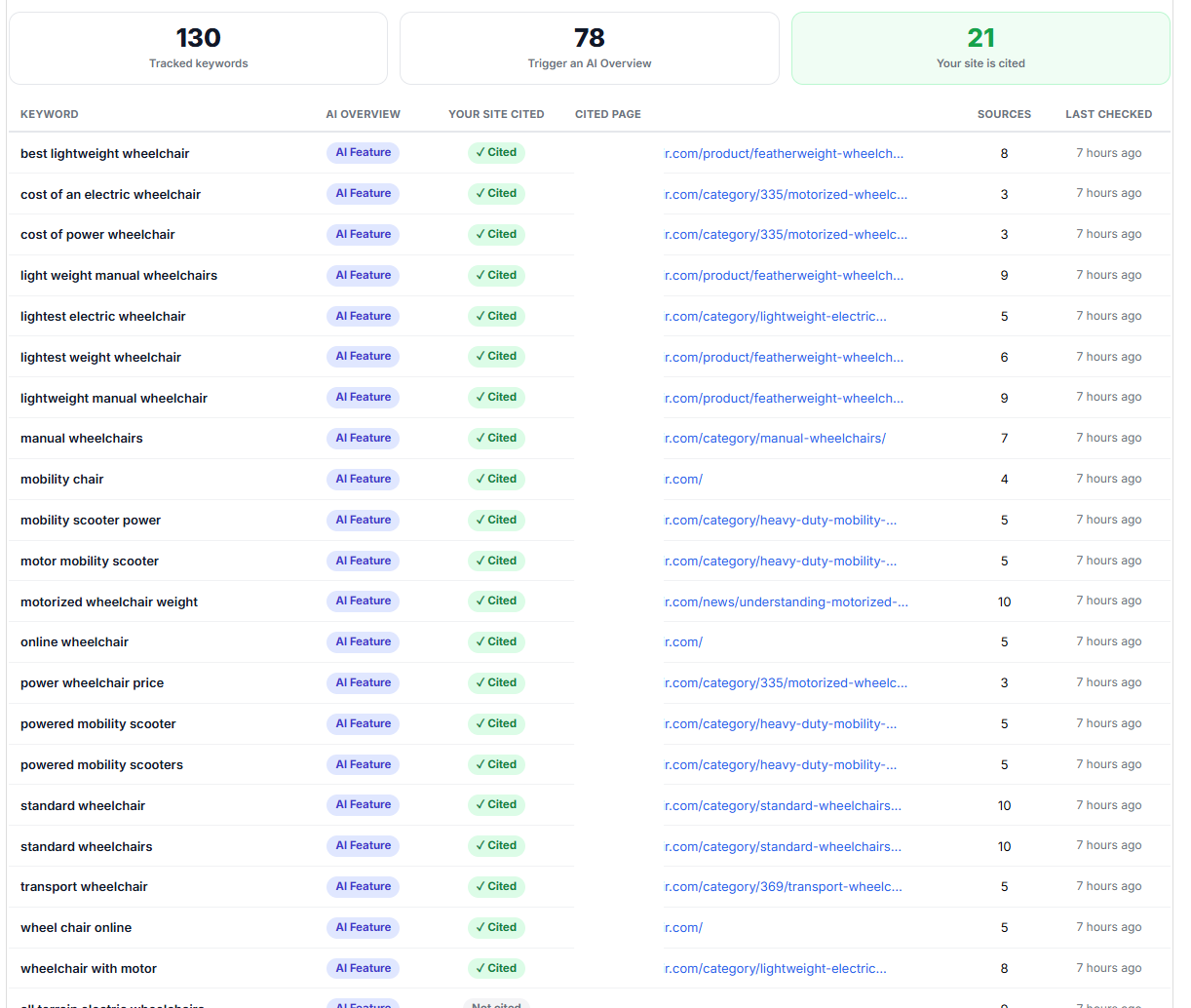
- AI Overview mentions — Captured free, as a by-product of every check.
- Scheduled white-label reports — Your logo, PDF, Drive export, emailed for you.
- Untracked keywords stored free — Keep a research list without paying to check it.
Watch the links you bought
move the rankings you bought them for.
Most trackers are a bill for information you can't act on. This one sits in the same place as the work, so a position change has a cause you can click on.
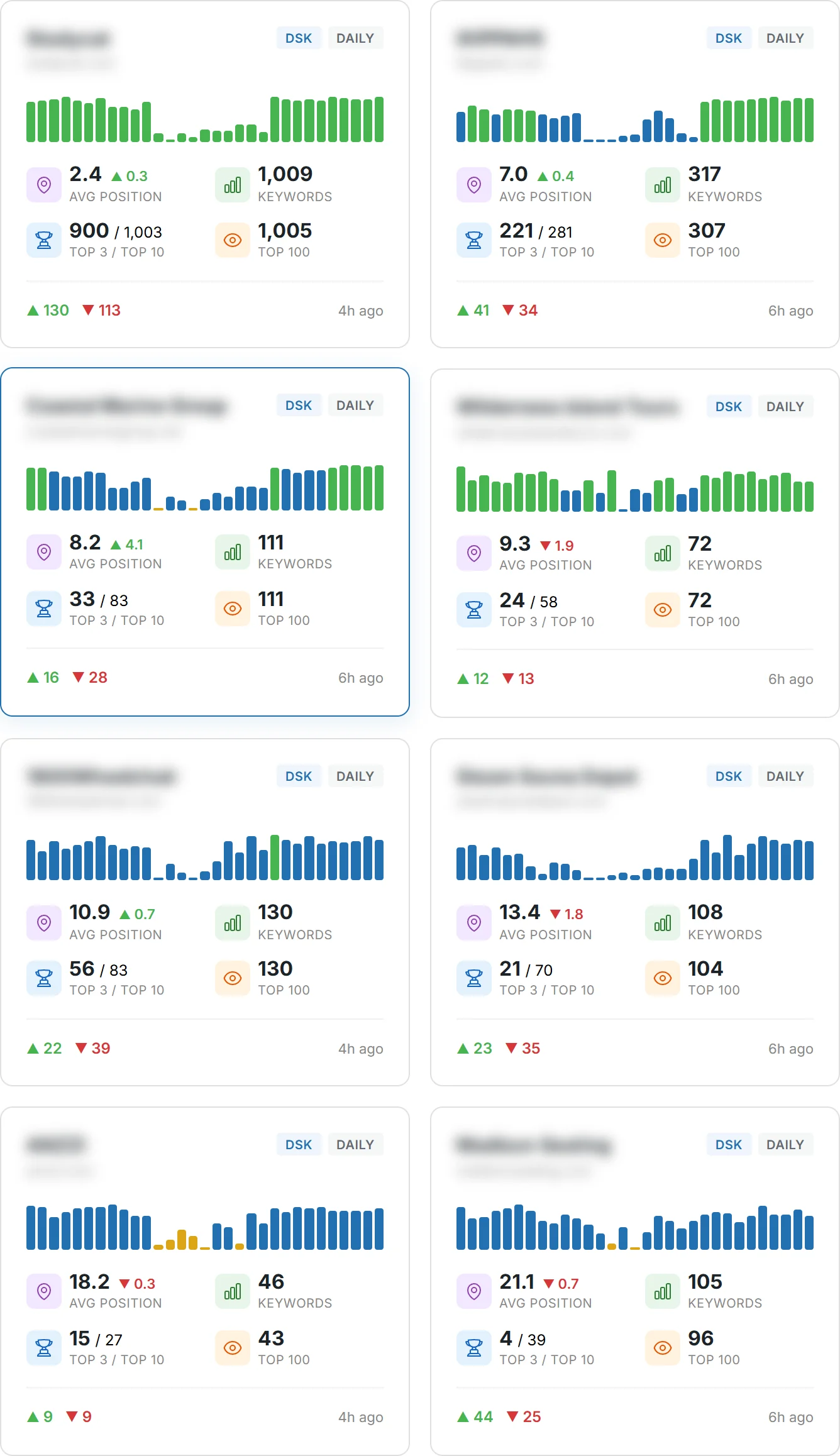
Positions on Google, Bing and Yahoo. Desktop and mobile. Map-pack heatmaps block by block. Search Console and Analytics layered on top.
A hundred keywords, tracked free for a month.
No card. Verify your email and 30 credits land in your account — A hundred keywords, tracked free for a month.
The thing rank trackers can't tell you
Your tracker says you're losing. It has no idea why, and no way to help.
It shows you a red arrow.
You already knew. What you needed was the next move, and a tracker's answer is always the same: build authority.
So you go somewhere else to buy links, somewhere else again to write the content, and now the tracker and the work live in different systems with no relationship between them.
Which means the one question that actually matters — did the thing I paid for move the number I care about — takes a spreadsheet and an afternoon to answer.
Here the links, the articles, the citations and the positions are in one record. So the answer takes a glance.
A hundred keywords, tracked free for a month.
Weekly tracking costs 0.3 credits per keyword per month, and thirty credits land on email verification. That's a hundred keywords checked every week for a month — with the Search Console and Analytics panels thrown in, because those are free.
Founding accounts lock $0.35 a credit on every plan and every top-up — the rate that otherwise needs a $1,750-a-month plan. A few founding spots are left.
No card. Nothing expires on a timer.
The mechanism
How the number gets on the screen.
- 01
A project per client, per engine
Google, Bing or Yahoo, desktop or mobile, each with its own keywords and settings. Separate projects rather than a toggle, so a client's mobile map-pack performance isn't averaged into their desktop organic.
- 02
Keywords in, however you have them
Typed, pasted, CSV imported, pulled from Campaign Builder, or added straight from real Search Console queries you're already getting impressions for. Keywords with tracking off are stored free, so a research list costs nothing to keep.
- 03
Checked daily, weekly, or when you ask
Per project. Pin the keywords that matter, recheck on demand, pause and resume without losing history.
- 04
A dropped keyword gets re-checked before it's recorded
If a check comes back with no position, it's re-run with a fresh live lookup before a miss is written to history. A crawl blip never becomes a lost ranking. Anyone who has explained a phantom drop to a client knows exactly why that line is here.
- 05
The map pack, block by block
A local grid scan measures map-pack position across a service area rather than at one point, so you can see precisely where coverage stops. Which is usually three streets from the office and nowhere near where the client assumed.
- 06
Then it reports itself
Scheduled email reports with your logo, PDF export, Google Drive export, and a read-only view inside your client's own portal. The weekly reporting task stops being a task.
What you end up holding
History, heatmaps, and a report you didn't build.
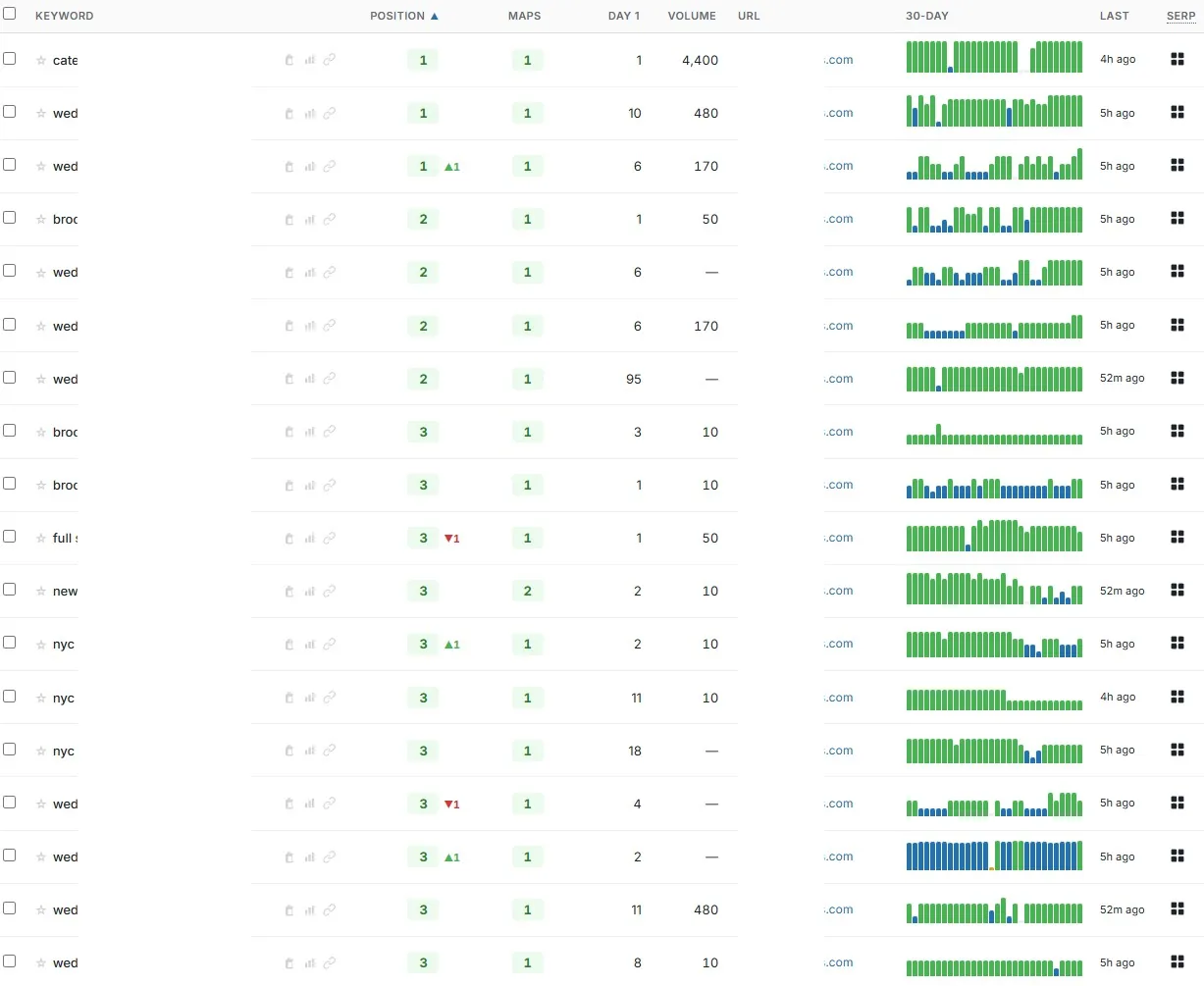
- Position history you can trust
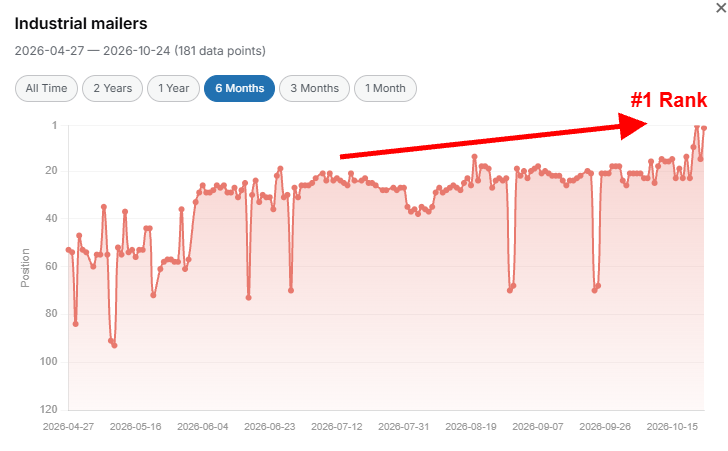
- Trend charts per keyword, with the re-check rule above protecting the history from crawl noise. Across our own programs the book currently holds 2,746,097 recorded data points over 5,965 tracked keywords.
- A map-pack heatmap
- Local grid scans rendered as coverage across the service area, so the answer to "do we show up in Northbrook" is a picture rather than an opinion.
- SERP feature presence
- Featured snippet, image pack, video carousel, People Also Ask, knowledge graph, local pack, shopping and top stories — tracked alongside the position, not instead of it.
- AI Overview mentions
- Whether Google's AI Overview named you, captured free as a by-product of the rank check rather than as a separate paid product.
- Search Console and Analytics panels
- Impressions, clicks, unique queries and traffic beside the positions. These cost nothing — connect the accounts and they're there.
- A branded report, on a schedule
- Your logo, emailed to the client without you touching it, plus PDF and Drive export and CSV out of the client portal.
A hundred keywords, tracked free for a month.
Weekly tracking costs 0.3 credits per keyword per month, and thirty credits land on email verification. That's a hundred keywords checked every week for a month — with the Search Console and Analytics panels thrown in, because those are free.
Founding accounts lock $0.35 a credit on every plan and every top-up — the rate that otherwise needs a $1,750-a-month plan. A few founding spots are left.
No card. Nothing expires on a timer.
The countable facts
Including the three things it doesn't do.
- Search engines
- Google, Bing, Yahoo
- Devices
- Desktop and mobile, tracked as separate projects
- Keywords
- Unlimited. Untracked keywords stored free.
- Check frequency
- Daily, weekly, or manual-only — set per project, changeable any time.
- SERP features tracked
- Featured snippet, image pack, video carousel, People Also Ask, knowledge graph, local pack, shopping, top stories.
- Local grid
- Map-pack position sampled across a service area and rendered as a heatmap.
- Integrations
- Google Search Console and Google Analytics, both free to view. Keywords can be added directly from Search Console queries.
- Reporting
- Scheduled branded email reports, PDF, Google Drive export, CSV, and a read-only client portal view.
- Data hygiene
- A keyword returning no position is re-checked with a fresh live lookup before a miss is recorded.
- Credits
- 0.3 per keyword per month on weekly tracking, 1.5 on daily. Grid scans are charged per scan. Search Console and Analytics panels are free.
- What it does not do
- No competitor tracking. No keyword tags or groups. No share-of-voice or visibility score. If those three are what you're shopping for, a dedicated tracker will serve you better — this is the tracker that comes with the work.
That last row is not modesty. Those are the first three features a prospect coming from a dedicated tracker checks for, and finding out after paying is worse for both of us.
Who this is for
People who need the number and the cause in one place.
The freelancer paying for a tracker
You're already spending on one, and it doesn't know what you published. This comes with the work at a fraction of a credit per keyword-month, which for most books is the smallest line on the bill.
The agency doing weekly reports
Reporting consumes hours and produces no links. Scheduled branded reports that email themselves under your logo remove a recurring task and make you look more organised than you are.
The local business owner
The grid heatmap is the one that changes minds. Ranking first at your own address and eleventh four miles away is invisible in a normal tracker and obvious here.
What it costs to find out
A hundred keywords, tracked free for a month. No card.
Weekly tracking costs 0.3 credits per keyword per month, and thirty credits land on email verification. That's a hundred keywords checked every week for a month — with the Search Console and Analytics panels thrown in, because those are free.
Verify your email and 30 credits land in the account. Not a trial that takes your card "for verification". No card at all.
And nothing expires on a timer. Credits sit in the account until you spend them.
Launch — founding accounts
$0.35 a credit, locked for good.
Credits normally run $0.50 at the smallest amount and slide down to $0.35 only at 5,000 a month — a $1,750-a-month plan.
Founding accounts get that bottom rate on every plan, every top-up and every pay-as-you-go purchase, starting at a $35 top-up. Same rate. One fiftieth of the commitment.
It's written onto your account, not onto a coupon you have to remember, and it applies for as long as you have the account.
A few founding spots are left. When they're gone, so is the rate.
| Credits | Standard | Founding | You keep |
|---|---|---|---|
| 100 | $50 | $35 | $15 |
| 500 | $225 | $175 | $50 |
| 1,000 | $400 | $350 | $50 |
| 5,000 | $1,750 | $1,750 | — |
The last row is the point: at 5,000 credits the two prices meet, because $0.35 is the volume rate. Founding accounts get it without the volume.
30 credits on email verification, no card, and the locked rate is applied to the account itself. Every deliverable's cost in credits is printed on the button that spends them.
Before you ask
The questions we'd ask.
- Can I track competitors?
- No. There's no competitor tracking, no keyword tags or groups and no share-of-voice score. Those are genuine gaps and we'd rather name them than have you find them. What this does that a dedicated tracker can't is sit in the same record as the links, articles and citations you bought — so a position change has a cause attached to it.
- How much does tracking a hundred keywords cost?
- Weekly tracking is 0.3 credits per keyword per month, so a hundred keywords is thirty credits a month — which is exactly the welcome grant, meaning your first month is free. Daily tracking is 1.5 per keyword-month. Keywords you're storing but not checking cost nothing.
- Is the local grid the same thing as a rank check?
- No, and the difference matters for local clients. A rank check gives you one position. A grid scan samples map-pack position across the whole service area and renders it as a heatmap, so you see where coverage stops rather than one point that happens to be the office.
- What happens when a keyword drops off entirely?
- It gets re-checked with a fresh live lookup before the miss is recorded. That rule exists because a single blocked or throttled check reads exactly like a lost ranking in a history chart, and explaining a phantom drop to a client is a conversation nobody should have to have twice.
- Can my client see their own rankings?
- Yes — read-only, in a portal on your own subdomain, with CSV export, under your branding. You can also schedule the report to email itself to them with your logo on it. Anything you don't want them to see stays out of the portal.
- Does it track whether AI mentions me?
- Two separate things. Google's AI Overview mentions are captured free as a by-product of every rank check and appear beside the position. Whether you're cited inside ChatGPT's answers is a different instrument — that's ChatGPT Mentions, on the Tools page.
Watch the links you bought
move the rankings you bought them for.
Across our own client programs the same machine moved 1,067 keywords into Google's top three and 556 of them to number one. Those are our results, not typical, and not a promise about your site — but they were all measured in here.
A hundred keywords, tracked free for a month.
And if you're one of the first accounts, your credits are $0.35 for as long as you have the account.
30 credits on email verification. No card. A few founding spots are left.
The rest of it