Pro AI Writer · Q&A Page
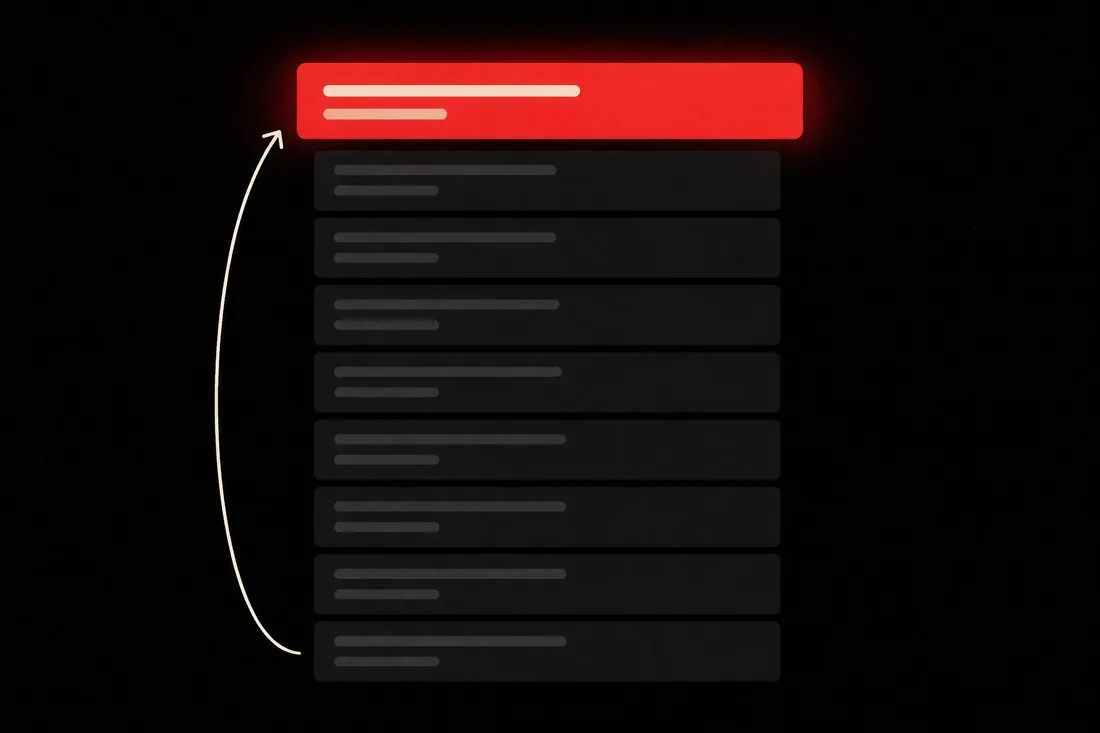
People search in questions. Rank by answering in the first line.
Voice results and the answer box are built from pages that answer plainly. Yours has to put the answer up top.
- A question search wants the answer up top. — This format puts the direct answer above the expansion, every time.
- It reads the questions people actually ask. — Related questions from the live results — not a guessed FAQ list.
- Built for voice and the answer box. — Still a full scored article, not a thin FAQ widget.
- The direct answer is locked before the expansion. — So a skimmer gets the verdict without digging for it.
- Client answers stay inside the brief. — It never invents a service or a coverage area to sound helpful.
- A scanner, not a promise. — It rewrites machine-sounding lines. It won't claim a detector pass.
- No FAQ schema. Meta tags only. — Add the structured data in your CMS if you want it.
- A draft is $2. — Headline options are 40¢. Publishing is free.
Answer first, in one clear line,
on a page built for question searches.
A lot of searching is done in questions.
Voice results and the answer box at the top of Google are built from pages that answer those questions plainly.
That is Google telling you what shape this search wants.
A page that hedges for three paragraphs before the verdict can't hold that slot.
So the answer goes in the first line, and the page expands underneath it.
The questions come from the live results — real related questions, not invented FAQs.
One thing up front: this writes meta tags only. It does not output FAQ schema.
No card required. See every tool and every price before you spend anything.
Use a question your clients ask every week.
Then read the first sentence of the draft. If it doesn't answer the question outright, the format failed. The account is free and takes no card.
No card required. See every tool and every price before you spend anything.
How it writes one
Real questions first. Invented FAQs never.
A page full of questions nobody asked is just a thin page with question marks. Research is the difference.
- 01
Give it the main question and pick Q&A Page
A real format setting, not a line added to a prompt. It changes the outline toward answer-first blocks, the headings and the scoring.
- 02
It researches the live results and related questions
The questions people actually ask become the spine of the page.
- 03
The direct answer is locked before the expansion
So a skimmer gets the verdict without digging for it.
- 04
The company brief goes in
Client facts as source material only, plus the topics to avoid. Nothing invented on their behalf.
- 05
Then the page gets scored
A hundred points across ten factors, with the missing terms named. You can act on the breakdown.
- 06
Scan, then publish
WordPress or stored credentials. Internal links are suggested at publish time. Meta tags only — no FAQ schema.
What lands in your account
A Q&A page that answers before it lectures.
- The article
- Headed, formatted, HTML ready for the blog. Or route it into a guest-post order.
- A 100-point content score
- The same rubric every format uses, broken down by category.
- An AI-likeness report
- What the scanner flagged and rewrote. A local scanner, not a promise of a pass.
- Headlines, image and meta
- A meta title and description only. No FAQ schema or other structured data.
A draft is $2. Publishing is free.
Headline options are 40¢. A failed run refunds itself. Credits don't expire.
No card required. See every tool and every price before you spend anything.
The countable part
What it costs and what it does.
- Format
- Q&A Page — one of eleven, set per article.
- The search it matches
- Question-shaped searches — "what is X", "why does X", "can I X". The ones voice results and featured snippets are built from.
- Full draft
- $2.
- Headline batch
- 40¢.
- Featured image redo
- 80¢.
- Cost per finished Q&A page
- $2.40, headline options included.
- Publish to blog
- Included. WordPress or stored credentials.
- Company brief
- $2, once per client. Refunded if it fails.
- Failed run
- Refunded automatically. You don't pay for a broken draft.
- Research
- Related questions from the live results for the topic — never a guessed FAQ list.
- Internal links
- Suggested at publish time. Not inserted during generation.
- What it does not do
- No FAQ schema and no other structured data — meta tags only. No detector pass claim. No delivery date.
- Delivery date
- We don't publish one. A made-up estimate breaks a promise faster than silence does.
Credit costs are the live values on your account, printed on the button that spends them. Dollar figures come off the same rate card that runs checkout.
What it costs to find out
Open the Q&A format free. The price shows before the draft.
Picking the client, the keyword and the format costs nothing. A draft is $2, and the button says so before it runs.
Creating the account is free. Not a trial that takes your card "for verification" — no card at all, and no call with anyone.
And nothing expires on a timer. Credits sit in the account until you spend them.
When you're ready to spend
$0.35–$0.50
per credit, improving with the volume you commit to
See the full pricing page →What you are not signing
No contract, no minimum, no quote and no call. Buy credits monthly if the volume suits you, or buy a block once and owe nothing after it.
Every deliverable in the platform prints its credit cost on the button that spends it, so you always price the work before you run it.
No card required. See every tool and every price before you spend anything.
Before you ask
The questions we'd ask before pointing this at a client.
- What does a Q&A page do for my search rankings?
- It makes the page eligible for a question-shaped search. Voice results and the answer box are assembled from pages that answer those questions plainly and early, so a page that hedges first isn't in the running. This puts the answer in the first line and covers the related questions people really ask.
- Does this output FAQ schema?
- No, and this is the thing people most often assume. Meta title and description only. If you want FAQPage JSON-LD, add it in your CMS — we won't claim structured-data output we don't produce.
- Will this rank my page?
- We won't promise a ranking, because nobody honestly can. What it does is make the page eligible to compete: a direct answer near the top, and coverage of the questions asked alongside it. Links and the rest of the site decide the rest.
- Where do the questions come from?
- Research against the live results, not from guessing. The related questions people ask around your topic become the spine of the page, so you aren't publishing questions nobody typed.
- Isn't this just a thin FAQ widget?
- No. It's a full scored article with an answer-first outline. The score panel treats question coverage as a real factor — missing the shape shows up.
- Will it pass an AI detector?
- We won't promise that. An on-board scanner flags machine-sounding passages, rewrites them, and reports what it changed. It is a local scanner and it cannot guarantee a pass on any commercial detector.
- Where does it publish?
- WordPress, or any blog reachable with stored login credentials. Internal link suggestions are generated at publish time. Not Shopify, Wix, Webflow or Squarespace.
- What does a draft cost?
- $2 for a full draft. Headline options are 40¢, so a finished Q&A page is $2.40. Publishing is free.
Answer first, in one clear line,
on a page built for question searches.
Here's the part that has nothing to do with us. Every question your clients get asked is already being typed into Google. Somebody's page is answering it. Right now that page isn't yours.
Picture six months out. Either your FAQ page is still three paragraphs of hedging. Or every question a buyer asks has a scored page that answers it in the first line.
Pick one question clients ask constantly. Read the first sentence of the draft. That's the whole evaluation.
P.S. — Two things we won't claim: FAQ schema, which we do not emit, and a pass on any commercial AI detector — the scanner cannot guarantee a pass. Create the account, run one Q&A page, and judge the first sentence. No card to get that far, and $2 is the cheapest opinion you'll buy this month.
No card required. See every tool and every price before you spend anything.
The rest of Pro AI Writer