Tier 2 Boosters
Your guest posts pass less than they should. Point links at them and they pass more.
Google finds pages by following links. Almost nothing links to your guest posts, so Google rarely goes back to them.
- Google has to find a link to count it. — Links are how it finds anything.
- Your best links have nothing pointing at them. — That's why they pass so little.
- Tier 2 points at those pages. — Never at your money site.
- The form won't offer your money site. — The client's site and blog are excluded by design.
- The target list fills itself. — Your guest posts, releases and citations are already on the record.
- Anchors come from your own data. — Tracked rankings and Search Console, not a guess in a tab.
- Twenty-four products, one order screen. — Retired SKUs stay off the menu.
- Boosters start at 40¢ a link. — The biggest prebuilt campaign is $57.20.
Send power into the links you already own,
so they get crawled and pass more of it.
Google finds a page by following a link to it.
Almost nothing points at the guest post you bought.
So Google visits it rarely and treats it as minor.
A link on a page like that does a fraction of its job.
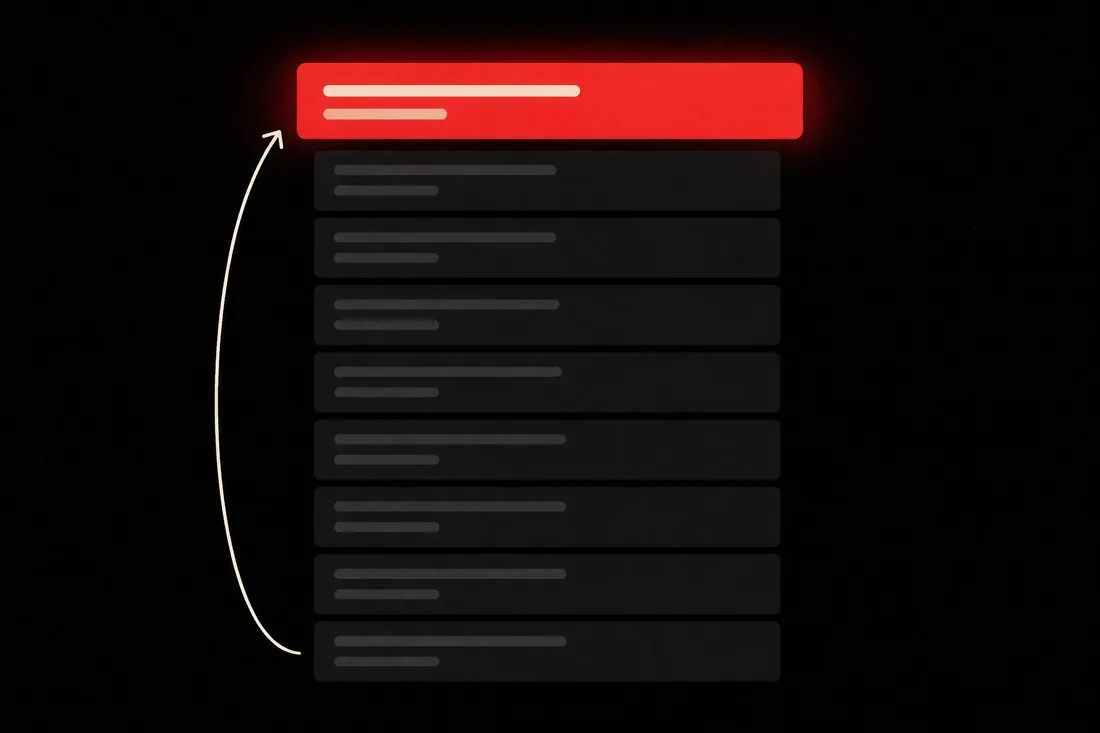
Tier 2 sends links into that page. Never into your own site.
It gets crawled more. It carries more weight home.
No card required. See every tool and every price before you spend anything.
The rule that keeps you safe
Never point these links at your money site. Point them at Tier 1.
Most volume-link vendors bury this in a help page. We'll lead with it.
Never point these links directly at your main or money website.
Tier 2 links are strong but lower-trust. On a homepage they can look unnatural.
Point them at your Tier 1 links instead. Your articles, releases, guest posts and citations.
That charges those pages up. The weight then flows home through a page Google already trusts.
We didn't leave it as advice. The client's site and blog aren't on the list. You can't pick them.
See your own links turn into boost targets.
The account is free and takes no card. Open a client that already has guest posts on it.
No card required. See every tool and every price before you spend anything.
The mechanism
Five builder steps, plus the one that gets them crawled.
You pick the pages to strengthen. You pick the platforms. It totals the run before anything is charged.
- 01
Pick the Tier 1 pages to strengthen
Your articles, releases, guest posts and citations are already listed. The client's site and blog are not. That one field is the whole safety argument.
- 02
Choose platforms for each page
Web 2.0, DA30 to DA70+ bands, wikis, forums, profiles, .EDU, or a prebuilt campaign. A layer made of one link type looks bought.
- 03
Pull anchors from real data
Anchors come from tracked rankings and Search Console. They're spread across the links rather than paired one to one.
- 04
Read the total before you commit
The review step totals products, quantities and extras. Building a run costs nothing.
- 05
Publish once, get one report
Every order in the run, grouped and client-ready, stored on the client record.
- 06
Add indexing if you want the links to count
A link nobody crawls passes nothing. Three indexer strengths sit on the same form.
What you end up holding
Links behind your links. And one report.
Picture the next client call. You open one report. The links they already paid for now have links of their own.
- Placements across a dozen platform types
- All aimed at Tier 1 pages. Never at the money site.
- The authority band you picked
- DA70, DA50 or DA30. Power or volume is your call, not a silent default.
- Or one prebuilt campaign
- Seven scales. One order. A mixed footprint across many platform types.
- One branded report for the whole run
- Client-ready, covering every order, kept on the client record.
- Crawlable links, if you buy the indexer
- Optional tiers that ping search engines so placements get found.
- Content upgrades where they help
- Article batches, human-quality packs, custom images and social signals.
The cheapest booster is 40¢ a link.
The biggest prebuilt campaign is $57.20. The builder totals a whole run before you publish, and building one costs nothing. Credits don't expire.
No card required. See every tool and every price before you spend anything.
The countable facts
The catalogue, with today's prices.
- Web 2.0
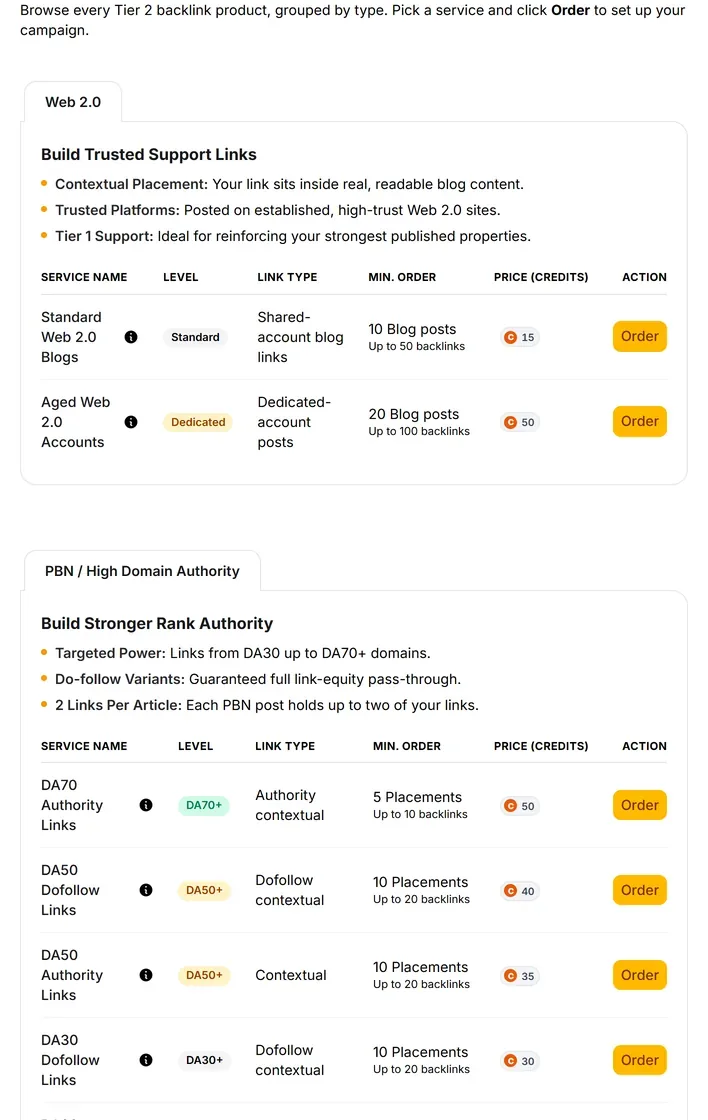
- Standard Web 2.0 Blogs from $8.40, on shared accounts. Aged Web 2.0 Accounts from $30, on dedicated accounts with existing history.
- Authority-banded network links
- DA70 Authority $14.40. DA50 Do-follow $23.20.
- Multi-platform campaigns
- Seven prebuilt bundles, $17.20 to $57.20. One order builds up to 100 links across many platform types.
- Standalone types
- .EDU Authority $2.40. Article Submissions $1.20.
- The cheapest thing here
- A single booster link is 40¢. That is the floor of the catalogue, not a starter tier.
- Order extras
- Indexer tiers one to three. Captcha backup, a second solving pass that completes roughly 130% more placements.
- The builder
- Five steps: assets, platforms, keywords, review, finalized. Site and blog are excluded from the asset list by design. Anchors pooled from tracked rankings and Search Console.
- Reporting
- One branded report per publish run, however many orders it holds.
- Where every link points
- Tier 1 pages only — your articles, releases, guest posts and citations. Never the money site.
- Indexing
- Not automatic. Indexer tiers are a paid extra on the order form.
- Minimum order
- We don't publish one. Minimums come from the provider's live catalogue and show on the quantity field.
- Delivery date
- We don't publish a delivery date. The order status moves in the report.
Dollar figures use the 1,000-credit plan rate, and the number printed on the Order button is the price of record. These are the provider's catalogue costs, so they can move when the provider's prices change.
What it costs to find out
See all twenty-four Tier 2 booster prices before you order.
The account is free and needs no card. Every booster and its cost is readable first. The Order button prints the number it spends.
Creating the account is free. Not a trial that takes your card "for verification" — no card at all, and no call with anyone.
And nothing expires on a timer. Credits sit in the account until you spend them.
When you're ready to spend
$0.35–$0.50
per credit, improving with the volume you commit to
See the full pricing page →What you are not signing
No contract, no minimum, no quote and no call. Buy credits monthly if the volume suits you, or buy a block once and owe nothing after it.
Every deliverable in the platform prints its credit cost on the button that spends it, so you always price the work before you run it.
No card required. See every tool and every price before you spend anything.
Before you ask
The questions we'd ask before pointing this at a client.
- What does this actually do for my search performance?
- It gets the links you already own crawled, and it makes them pass more. Google finds a page by following a link to it. Almost nothing points at your guest posts, so Google rarely goes back, and a link sitting on a page like that does a fraction of its job.
- Why can't I point these at my own website?
- That move backfires. Tier 2 links are strong but lower-trust, and pointed straight at a homepage they can look unnatural. So they aim at Tier 1 assets only, and your money site is blocked on the form rather than left to your judgement.
- How does this help rankings if the links never touch my site?
- They don't need to touch it. They charge up pages that already link to you — guest posts, releases, syndicated copies, citations. The weight then reaches you through a page Google already trusts. Nobody can promise you a ranking change from one run, and we won't.
- How does it know what my Tier 1 assets are?
- They were built in the same platform. Your published articles, releases, guest posts and citations already sit on the client record, so the builder fills its own target list.
- Where do the anchor texts come from?
- Your tracked rankings and your Search Console data. They're pooled across the orders in the run and spread across the links, rather than paired one to one.
- Do I need the indexer add-on?
- It's optional. But think about what a Tier 2 link is for. It exists to be found, and a link nobody crawls passes nothing. Indexing is never automatic here.
- Isn't this just spam?
- Aimed at a money site, high-volume low-trust links are exactly the footprint you don't want. Aimed at a page that already earned its trust, the same links do the ordinary job of getting that page crawled and counted.
- What's the minimum order?
- We don't publish one. Minimums come from the provider's live catalogue at order time and can change.
- What does it cost?
- The cheapest booster link is 40¢. The biggest prebuilt campaign is $57.20 and builds up to 100 links in one order. Those figures use the 1,000-credit plan rate, so your own rate moves with the plan you buy.
Send power into the links you already own,
so they get crawled and pass more of it.
Here's the part that has nothing to do with us. The site above your client keeps getting links every month. Some of those links point at their off-site pages, not their homepage. That gap doesn't hold still.
So you have two choices. Leave the guest posts you already paid for sitting there with nothing pointing at them. Or give them links of their own and let them pass what they actually have.
You don't need another first-tier invoice. You need the ones you own to work.
P.S. — I know why you're hesitating. Someone sold you volume aimed at a homepage once, and the cleanup was yours. So look at the form first. The money site isn't selectable, the account is free, and every button prints its price. If it isn't what we said, you've lost a click and nothing else.
No card required. See every tool and every price before you spend anything.
The rest of it