Local SEO · Radius Booster
Google only ties you to one town. Pin your keywords across every town.
Google decides how relevant a business is to a place, and it has one address to go on. This publishes a real map with keyword-tagged pins across the whole radius. $16 on publish.
- Relevance is geographic. — One address makes a business relevant to one place.
- Pins across the whole radius. — Target areas resolved in half-mile steps from the client record.
- Each pin names a keyword and a town. — That's the tie between what they do and where they do it.
- Up to nine keyword layers. — A published map holds ten and one goes to the business folder.
- A live map URL and the KML file. — A real asset on the internet, not a PDF about one.
- Build free. $16 on publish. — Refunded automatically if publishing fails. Nothing recurring.
- Nothing indexes itself. — One click from the report, then we track it to indexed.
- Directions only where they apply. — A service provider with no storefront doesn't get directions to a door.
Publish one map across the whole radius,
with a keyword-tagged pin in every town you serve.
Google decides how relevant a business is to a place.
Right now it has one address to go on.
So the business looks relevant at the office and nowhere else.
Meanwhile the vans drive forty minutes in every direction.
This publishes a real map with pins across all of it.
Every pin ties one of your keywords to one of your towns.
No card required. See every tool and every price before you spend anything.
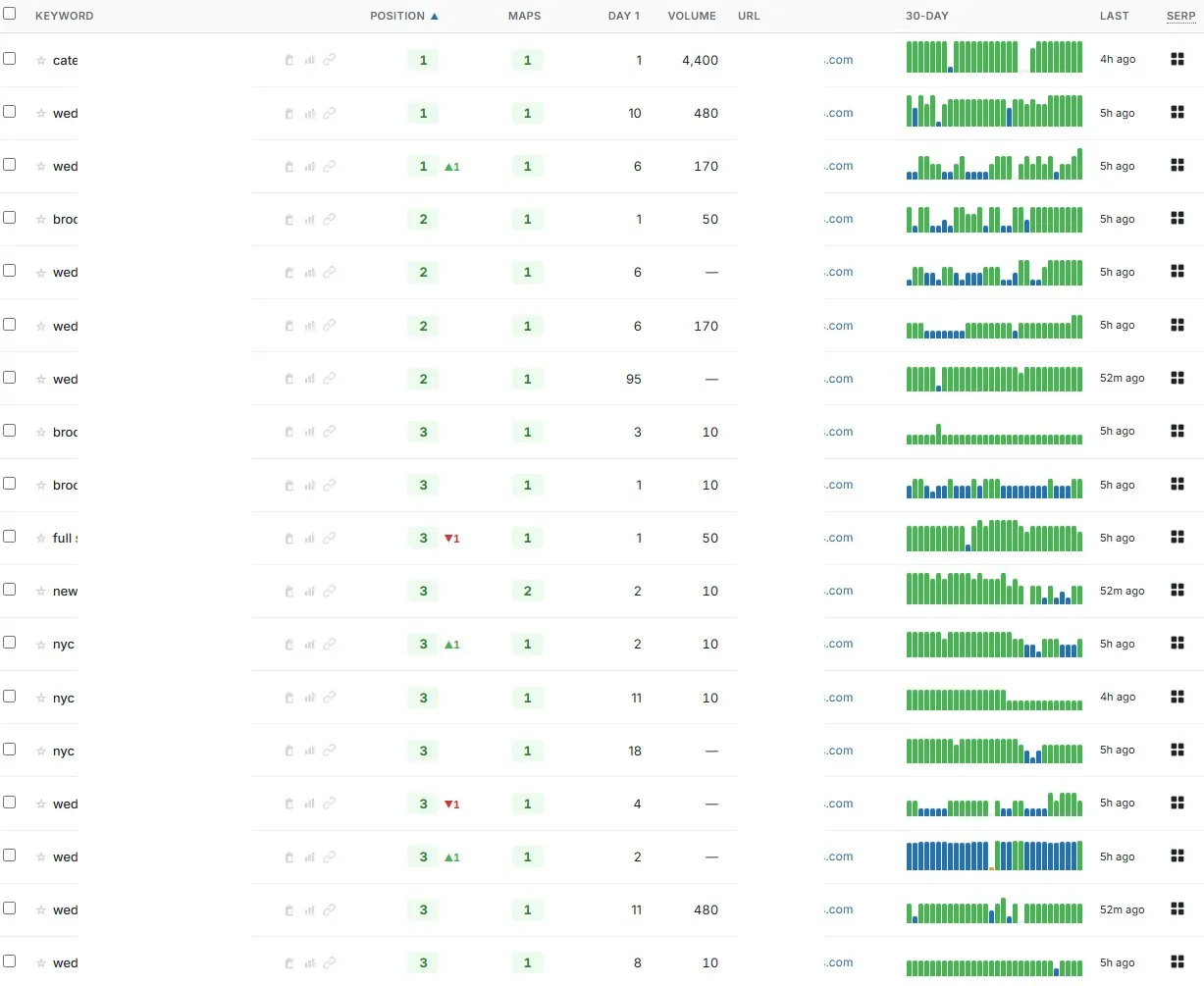
Why one address caps your reach
Smaller shops in the outer towns win jobs you already drive to.
Not because they're better. Because Google thinks they're closer.
And for a searcher standing in that suburb, they are.
Your vans already cover those miles. Your relevance stops at the office ZIP.
Citation farms won't fix that. Homepage links won't fix that. A single rank check won't even show it.
Now the honest limit. A published map does not buy you a map-pack position.
It gives the business a real, keyword-tagged presence across the area it serves. What Google does with that is Google's.
Run it beside clean citations and Profile links. Then scan the grid again and look at the before-and-after.
Build every pin before a penny leaves your balance.
Resolve the areas, load the keywords, check the pin count. The price sits on publish and nowhere earlier. Walk away having spent the click and nothing else.
No card required. See every tool and every price before you spend anything.
How a map gets built
Build the whole map, then decide whether to publish it.
Nothing charges until the map is live. That changes how you should use it: build first, look at it, then decide.
- 01
Pick the client and the business type
Physical location, service provider, or both. This isn't cosmetic — physical and both add driving directions, and a provider with no storefront shouldn't publish directions to one.
- 02
Set the radius and resolve the areas
Half-mile steps, centre ZIPs from the client record. Leave the ZIP count blank for five per mile of radius, capped at fifty.
- 03
Add the keyword layers
Up to nine. Import from a campaign, or auto-fill from the rank tracker, Search Console and Keyword Planner.
- 04
Control what every pin says
One description template for all of them. Placeholders for business, keyword, city, state, ZIP, phone, website and address. Write it once.
- 05
Check the count before you pay anything
Pin count is target areas times keyword layers. The review screen shows business type, area count, layers and the cost on publish.
- 06
Publish, then submit it for indexing
The KML is built, the public map URL goes live with an embed, and the branded PDF is produced. The $16 lands here and nowhere earlier, refunded if publishing fails. Indexing is one click from the report — not automatic.
What you end up holding
A live map, the KML file, and an asset the client keeps.
Picture handing them a URL that opens a map of every town they serve. Pins tagged with the terms that bring the work.
- A public map URL, plus an embed
- Live, linkable, embeddable on the client's own site. A thing that exists, not a line in a monthly report.
- The KML file
- The geographic data, yours to keep. The asset survives the account.
- A branded PDF report
- Brand bar, business details, pin and radius and keyword and area stats, map image, the keyword table with every generated description, and a link back to the live map.
- Driving directions, when they apply
- An optional table for physical locations and businesses that are both. Service-only providers don't get one.
- Google Drive export and a run history
- One click to Drive. Every run kept against the client, so you can show what was published and when.
$16 when it goes live. Nothing while you tweak it.
Refunded automatically if publishing fails. Credits don't expire on a timer.
No card required. See every tool and every price before you spend anything.
The countable part
What it costs and what it does.
- Cost
- $16 per published map. Building and tweaking are free.
- When you're charged
- On publish only, and refunded automatically if the map can't be published.
- Business type
- Physical location, service provider, or both. Physical and both add driving directions.
- Radius
- Set in half-mile steps, defaulting to the radius stored on the client record.
- Target areas
- Centre ZIPs prefilled from the client. Leave the count blank for five per mile of radius, capped at fifty.
- Keyword layers
- Up to nine. A published map allows ten layers and one is reserved for the business folder.
- Pins
- Target areas multiplied by keyword layers. Derived, not a field — the run reports the actual count.
- Pin descriptions
- One template applied to every pin. Placeholders for business, keyword, city, state, ZIP, phone, website and address.
- Deliverable
- A KML file, a public map URL with an embed, and a branded PDF with Google Drive export.
- Indexing
- One-click submit, then tracked to indexed. Not automatic.
- Delivery date
- We don't publish one, here or anywhere else. There's no delivery data worth quoting, and a made-up estimate breaks expectations faster than silence does.
The price is printed on the publish button and nowhere before it. Figures on this page use the mid plan rate from the pricing page — a smaller plan pays a little more per credit and a larger one less.
What it costs to find out
Build the whole map free. Only publishing costs anything.
Making an account needs no card, and building and tweaking the map costs nothing. The $16 sits on the publish button alone, and comes back if publishing fails.
Creating the account is free. Not a trial that takes your card "for verification" — no card at all, and no call with anyone.
And nothing expires on a timer. Credits sit in the account until you spend them.
When you're ready to spend
$0.35–$0.50
per credit, improving with the volume you commit to
See the full pricing page →What you are not signing
No contract, no minimum, no quote and no call. Buy credits monthly if the volume suits you, or buy a block once and owe nothing after it.
Every deliverable in the platform prints its credit cost on the button that spends it, so you always price the work before you run it.
No card required. See every tool and every price before you spend anything.
Before you ask
The questions we'd ask before pointing this at a client.
- What does a radius map actually do for SEO?
- It gives Google geography to read. Relevance to a place is part of how local results are decided, and by default the only place tied to the business is its address. A published map puts keyword-tagged pins across the whole service area instead of one point.
- Couldn't I just build this myself?
- Technically, yes. Do the arithmetic first: nine keyword layers across fifty target areas is four hundred and fifty pins, each needing a name and a description with the right city in it. Here you write one template and the run fills it in.
- Will this get the client ranking in those towns?
- We won't promise that, and be suspicious of anyone who does. A radius map gives the business a real, published, keyword-tagged presence across the area it serves. Scan the grid before and after, and judge it on the two pictures.
- What if the map fails to publish?
- The charge comes back automatically. That's also why it sits on publish rather than on build.
- Nine keywords isn't many. Why the limit?
- Because a published map holds ten layers and one of them is the business folder. It's a hard ceiling on the platform the map lives on, not a packaging decision on our side.
- Do the maps get indexed automatically?
- No. Automatic index submission is citations only. From the report you submit with one click, then we track it until it comes back indexed.
- What does it actually cost?
- $16 per published map. Building and tweaking cost nothing, and the charge comes back if publishing fails.
Publish one map across the whole radius,
with a keyword-tagged pin in every town you serve.
Here's the part that has nothing to do with us. Every month those outer suburbs stay invisible, the smaller shop collects the call on proximity alone. That gap doesn't hold still.
So picture two versions six months out. In the first, the same office-ZIP story and vans driving past jobs you'll never hear about. In the second, a live map URL and a branded PDF covering every town in the radius — with a grid beside it showing whether the grey moved.
Build the map for free and look at it before you decide.
P.S. — I know why you're hesitating, and it isn't the $16. It's that the last "local coverage" deliverable you bought was a screenshot of somebody else's map tab. So: the account is free, no card, build costs nothing, and publish is the only button that spends. Make the account, assemble the pins, and read the number on publish.
No card required. See every tool and every price before you spend anything.
The rest of Local SEO Backlinks