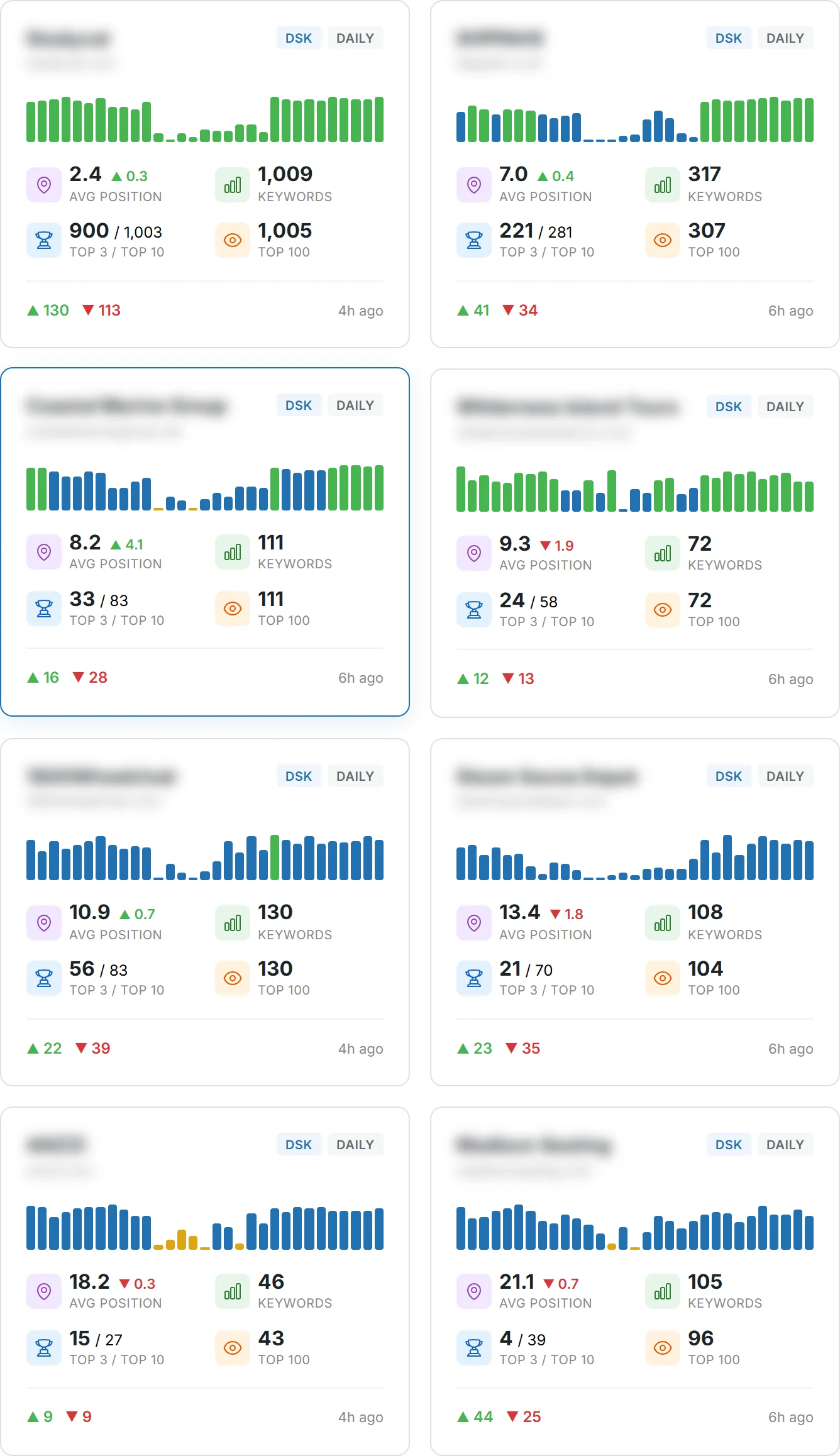
Can a single, well-structured report change how your team makes decisions about the website?
You’ll learn how to turn raw data into clear insights that drive results for your target audience.
This guide shows what a high-quality report looks like, why it matters in search today, and how to structure pages and content so stakeholders act fast.
Quality reports focus on meaningful metrics, visualize trends, and highlight next steps instead of dumping tables. They connect traffic and search signals to real outcomes so you can prove ROI.
Expect a practical walkthrough: which metrics to include, where to collect data, and when dashboards beat static files. By the end, you can build a repeatable framework that clarifies performance and prioritizes action.
Key Takeaways
- Turn data into clear insights that link site performance to business goals.
- Focus on metrics that show real results, not vanity numbers.
- Use visuals and commentary so stakeholders can scan and act quickly.
- Choose dashboards or static report formats based on frequency and audience.
- Keep reports repeatable and tied to your target audience’s needs.
What Is SEO Reporting and Why It Matters Right Now
A clear search performance summary ties visibility and business outcomes into one short narrative.
Define the report: an seo report is a concise narrative that links visibility, traffic, and conversions. It highlights key metrics — organic visits, keyword positions, backlinks, technical health — and ends with prioritized actions.
The typical flow moves from an executive overview into focused sections: traffic, keywords, conversions, backlinks, technical issues, then next steps. Each section should close with one or two concrete tasks and an owner.
Informational intent: proving value
Your goal is to educate and prove results so stakeholders can allocate marketing resources confidently. Use clear visuals and plain language so non-experts scan and act.
“Even small lifts in click-through rate compound into real revenue when rankings improve.”
| Section | Purpose | Key Metric | Next Step |
|---|---|---|---|
| Executive Summary | Quick snapshot for leaders | Top-line traffic & conversions | Approve priorities |
| Traffic & Keywords | Show visibility and intent | Rankings, impressions | Optimize top pages |
| Technical & Backlinks | Surface risks and opportunities | Core Web Vitals, link quality | Fix high-impact errors |
| Actions | Prioritize for impact | Estimated lift | Assign tasks and dates |
The Essential Metrics and KPIs You Should Track
Pick a compact set of indicators that link your site activity to revenue and growth.
Start by choosing metrics that show whether your pages attract the right visitors and drive outcomes. Keep the list tight so each item leads to a clear next step.
Organic clicks, CTR, and traffic quality
Measure clicks and click-through rate to see if titles and meta descriptions bring the right searchers to your pages. Use GSC for accurate click and CTR data.
Conversions and conversion rate
Track conversions tied to revenue in your analytics platform. Focus on goal completions that matter and report conversion rate by landing page.
Keyword rankings and visibility trends
Monitor rankings and visibility trends for buyer-intent keywords. Prioritize pages that can move fast and impact revenue.
Backlinks, Site Health, and Authority
Watch backlink quality over raw counts, include Site Health to catch crawl blockers, and add an Authority-type score for simple benchmarking.
- Action: Pair each metric with why it matters and one next step.
- Baseline: Set targets and show trends so progress is visible at a glance.
Gathering Reliable Data with Google Search Console and Google Analytics
A repeatable data workflow ties what users searched for to how they behaved on your pages. Use search-side metrics to see intent and on-site analytics to measure results. Pairing these sources gives you a clearer view of organic traffic and conversions.
GSC: impressions, CTR, position, and export best practices
In google search console, open Performance > Search results. Enable Total clicks and Average CTR, set a date range, then switch to Pages or Queries. Export CSV or Google Sheets so you can standardize monthly pulls.
GA4: landing pages, key events, and filtering by Organic Search
In google analytics, go to Reports > Engagement > Landing page. Add Key events to attribute conversions and filter Session default channel group = Organic Search. Share or export the view for your team.
Bridging “not provided” gaps
Use a connector like Semrush Organic Traffic Insights to map keywords to URLs and fill the “not provided” gap. Align page-level metrics so your commentary matches what users searched and how they acted on your website.
| Source | Key Metrics | Export |
|---|---|---|
| Search Console | Impressions, clicks, Avg CTR, Avg position | CSV, Google Sheets, Excel |
| GA4 | Landing page, Key events, Sessions (Organic) | Share report, CSV export |
| Semrush | Keyword-to-URL mapping, engagement | Combined export for analysis |
seo reporting Tools and Automation to Save You Time
Pick platforms that cut manual work and keep your metrics aligned across teams.
You can balance spreadsheets and automated dashboards depending on the use case.
Spreadsheets give full control for ad‑hoc models but often consume more time and get messy.
Dashboards automate pulls, improve readability, and make scheduled delivery simple.
Automated dashboards vs spreadsheets: pros, cons, and use cases
- Use spreadsheets for projections and one-off analysis.
- Use dashboards for recurring summaries, collaboration, and stakeholder shares.
- Keep a lightweight sheet for ad‑hoc scenarios while the dashboard handles ongoing tasks.
Semrush My Reports and Position Tracking
Assemble GA4, Site Audit, backlink data, and rankings in one place with Semrush My Reports. Schedule PDFs and send weekly notes. Use Position Tracking to watch key rankings and alert your team when critical queries move.
Siteimprove SEO and backlink monitoring
Siteimprove provides an overall SEO Score, custom policy checks, and competitor benchmarking. Track backlink profile changes and backlink health so you act quickly on new or lost links.
Tip: Integrate sources and standardize a template. If you want to automate tasks, weigh license costs against hours saved—automation often pays for itself within a quarter.
Building an Insightful SEO Report Stakeholders Will Read
Busy readers scan for meaning, so your first page must answer: what moved, why it matters, and who will act.
Start with an executive summary that states the key change, the business impact, and the recommended next step. Keep it to three lines so leaders can decide fast.
Organize the main body into clear sections: traffic, content, technical, and actions. For each section, include one chart, a short commentary, and a single, measurable next step.
- Visuals over raw tables: use a line for traffic trends, bars for top pages, and a funnel for conversions.
- One message per chart: annotate anomalies and wins so readers get the point immediately.
- Frequency: deliver weekly highlights for volatility and a monthly deep dive for strategy and resourcing.
“A report that ends with owners and due dates turns insight into execution.”
Align content analysis to user intent and prioritize pages that affect pipeline or revenue. Summarize technical items in business terms (for example, how fixing crawl issues could unlock more indexable pages and traffic).
Close every report with owners, deadlines, and one hypothesis to test. That makes the document both an update and an action plan that drives results.
Technical SEO and Site Health: Issues to Monitor and Report
Hidden site problems can cap growth; a focused audit reveals where to fix before you chase traffic.
Run a monthly site audit to capture crawlability, indexing, Core Web Vitals, and speed. Tools like Semrush check 140+ factors and give a clear Site Health score you can benchmark over time.
What to prioritize
- Fix discovery blockers first (robots, noindex) so search engines can access pages.
- Address broken links and redirect chains to preserve authority and reduce friction.
- Monitor mobile UX and page speed; layout shifts and delays hurt engagement and rankings.
- Validate structured data so rich results remain eligible and crawlers aren’t confused.
Present audit metrics with simple visuals that show what changed, why it matters, and expected impact on traffic and conversions. Track recurring issues to find root causes and coordinate fixes with developers using a prioritized backlog.
Tip: Re-run audits after fixes and compare before/after charts. If you need guidance on timing, see when to run an audit.
Turning Insights into Action: Opportunities and Next Steps
Turn trend data into a focused action plan that prioritizes pages with the biggest conversion potential.
Prioritize by impact. Estimate likely lift on traffic and conversions, the effort to implement, and time to value. Build a short backlog that ranks tasks by expected return and complexity.
Prioritizing fixes and tests based on impact
Focus first on pages with high impressions but low clicks. Use ranking and traffic data to spot quick wins and schedule rapid tests with clear owners.
Content and on-page improvements to lift CTR and rankings
Improve titles and meta descriptions where clicks lag. Refresh content to match search intent by adding FAQs, missing sections, and internal links that deepen topical relevance.
Backlink acquisition and competitor gaps to close
Use backlink analytics and Position Tracking to find lost or new referring domains and keyword drops. Run targeted outreach to earn quality backlinks and replicate competitors’ best-performing pages.
- Validate: measure before/after changes on rankings, traffic, and conversions.
- Coordinate: align with marketing for PR and campaigns that earn durable mentions.
- Document: log wins and lessons so stakeholders see momentum and support the roadmap via how to set up campaigns.
Conclusion
Finish with a concise plan so data leads to action.
Close the guide by tying each insight to a clear next step, an owner, and an expected impact. Anchor your report in reliable sources like Google Search Console and Google Analytics, and enrich it with exports from Semrush and Siteimprove. Use dashboards and scheduled PDFs to keep stakeholders informed on a predictable cadence.
Keep metrics tight, track organic traffic and conversions, and document technical issues and backlink profile changes. With a strong, repeatable process and the right tools, your reporting will protect rankings, lift click-through rate, and grow revenue month after month.
FAQ
What should a comprehensive guide to SEO reporting include?
A strong guide covers an overview, key metrics, recommended actions, and how to prove ROI. It should explain traffic trends, conversions, keyword visibility, backlink quality, technical audits, and a clear action plan so stakeholders understand performance and priorities.
How do you define a useful report versus one that’s only data-heavy?
A useful report moves beyond raw tables. It highlights trends, shows impact on business goals, and ends with prioritized recommendations. Use concise summaries, clear visuals, and a few KPI comparisons to make findings actionable for decision-makers.
Which metrics are essential to track for organic performance?
Track organic visits, clicks, click-through rate, conversions, conversion rate, keyword rankings, visibility trends, and backlink authority. These tell you whether content attracts users, converts them, and maintains competitive standing in search engines.
What conversion metrics should you include to tie activity to revenue?
Include goal completions, transaction revenue, conversion rate per landing page, assisted conversions, and average order value. These metrics show how search-driven traffic contributes to sales and where optimization can raise ROI.
How can you gather reliable data from Google Search Console?
Export GSC data for impressions, average CTR, and average position on a regular schedule. Filter by queries, pages, and countries to spot trends. Use CSV exports and API pulls to feed dashboards and preserve historical comparisons.
What should you extract from GA4 for organic insights?
Pull landing page performance, user engagement events, conversions, and channel filters for Organic Search. Segment by device and audience to find optimisation opportunities and verify traffic quality from search engines.
How do you bridge "not provided" keyword gaps in analytics?
Combine GSC query data with page-level GA4 metrics to infer which pages drive conversions. Use landing page grouping, content intent, and ranking tools to approximate keyword performance when query-level session data is limited.
When should you use automated dashboards versus spreadsheets?
Use automated dashboards for recurring monitoring, real-time alerts, and stakeholder sharing. Use spreadsheets for one-off analyses, complex joins, or when you need custom calculations. Choose based on scale, frequency, and required flexibility.
Are tools like Semrush and Siteimprove worth the investment?
Yes, if you need ranking histories, backlink tracking, site audits, and competitor benchmarks. Semrush is strong on keyword tracking and backlinks; Siteimprove adds policy checks and an overall site score. Match tools to your workflow and budget.
How should you structure a report stakeholders will actually read?
Use an executive summary, key highlights, traffic and conversion snapshots, content performance, technical health, and a prioritized action list. Keep language clear, visuals simple, and recommendations tied to measurable impact.
What visuals work best to communicate search performance?
Use time-series charts for trends, bar charts for top pages or keywords, and heatmaps for engagement. Avoid clutter; each chart should answer one question, such as where traffic rose or which page lifted conversions.
How often should you deliver summaries versus deep dives?
Deliver weekly highlights for quick changes and monthly deep dives for strategy and trend analysis. Quarterly reviews suit planning and budget cycles, while ad-hoc reports support campaigns or audits.
What technical site health issues should be monitored regularly?
Monitor crawlability, indexation status, Core Web Vitals, site speed, broken links, duplicate content, mobile UX, and structured data errors. These issues directly affect visibility and user experience on search engines.
Which common technical problems often reduce visibility?
Broken links, accidental noindex tags, missing or incorrect schema, slow page speed, and poor mobile usability are frequent culprits. Prioritize fixes by traffic impact and crawl frequency to get the most benefit.
How do you prioritize fixes and tests after an audit?
Rank issues by potential traffic or revenue impact and ease of implementation. Start with high-impact, low-effort wins, then plan larger technical or content experiments with clear success metrics and timelines.
What content changes most reliably improve click-through rate and rankings?
Improve page titles and meta descriptions, match content to user intent, add clear calls to action, and update outdated information. Test variations and measure CTR and ranking changes to validate improvements.
How should you approach backlink acquisition based on competitor gaps?
Audit competitor backlink profiles to find domains and content types that link to them. Create valuable assets—guides, data studies, or tools—that earn links, and outreach to relevant sites with personalized pitches.
How do you show ROI from search performance to executives?
Tie organic traffic and conversions to revenue, compare against cost of acquisition, and show trends over time. Use clear KPIs, like revenue per channel and conversion lift from optimizations, to demonstrate business impact.