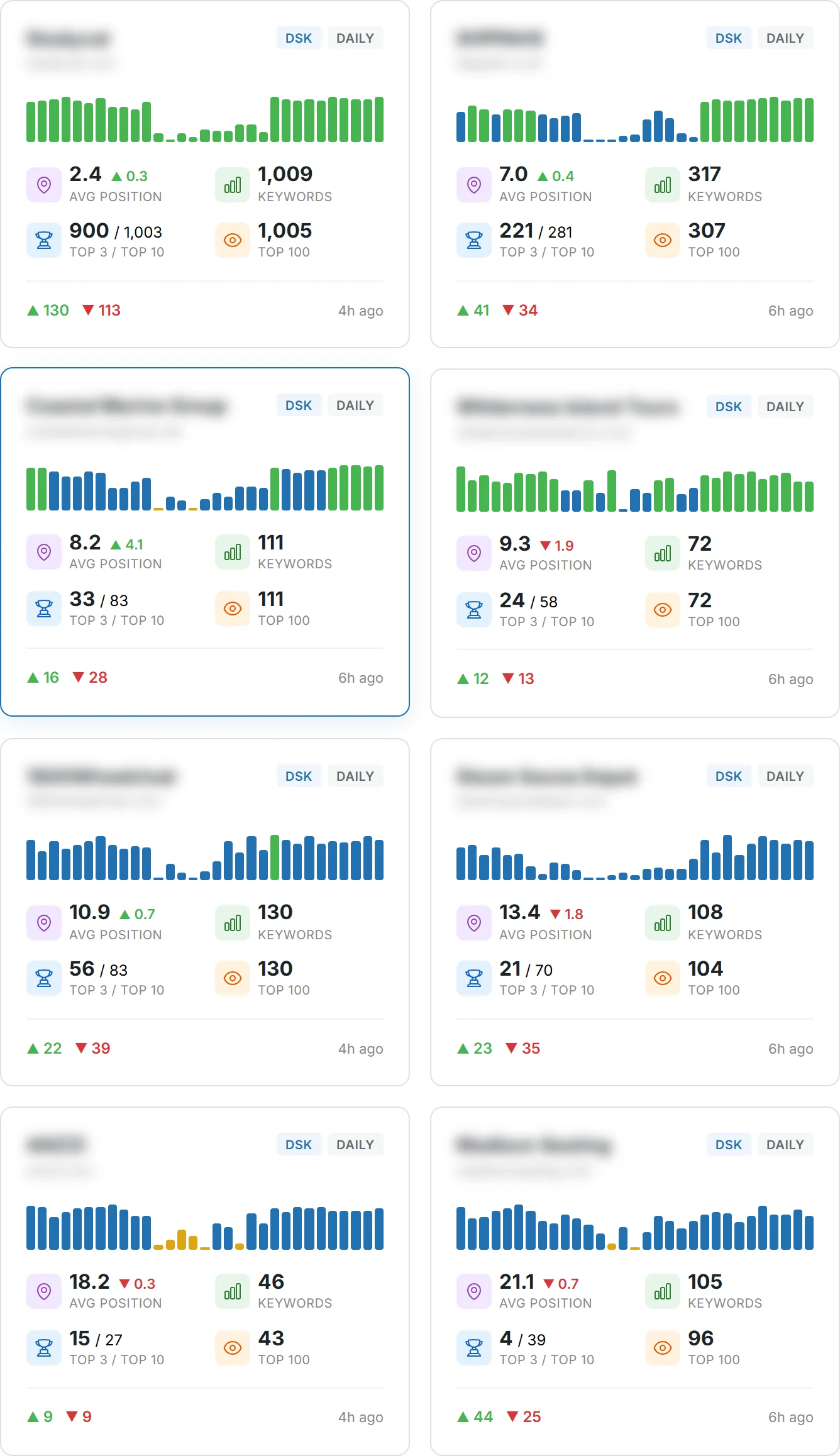
How can you tell if your long-term work on content and search is actually moving the needle for your website?
You need clear indicators that show progress before rankings or traffic fully catch up. Start with a few dependable signals: total clicks from Google, impressions, and average CTR in Google Search Console. Combine those with organic trends in Google Analytics to see traffic from all search sources.
Use third-party tools like Semrush, Ahrefs, or Moz to add keyword coverage, backlink counts, and estimated traffic value. That gives you context and helps connect your content to business results.
In short, focus on user-centered data and a small, repeatable set of reports. That way you can spot early wins, explain results to stakeholders, and choose where to invest your time next.
Key Takeaways
- Pick a north-star indicator like total clicks and back it with impressions and CTR.
- Combine GSC and GA4 to track organic trends across search engines.
- Use tools such as Semrush or Ahrefs for keyword and backlink context.
- Prioritize content and page signals tied to business outcomes, not vanity numbers.
- Watch early indicators so you can report progress before full ranking gains arrive.
- Adopt a small, repeatable reporting stack that tells a clear story to stakeholders.
Understand the intent behind seo performance metrics and what success looks like today
Understand why people search before you judge results — intent shapes outcomes.
Informational queries often drive impressions before clicks. That happens as people see your snippet and learn to trust your site. Use that signal to decide if your content matches user needs.
Tip: Google Search Console keeps only 16 months of data. Compare period-over-period and year-over-year to spot trends and remove seasonal noise.
Informational search intent: what you need to know before you track
Match your content to the question first. When pages truly satisfy intent, search engines reward them with more visibility. Expect impressions to rise before click growth.
Setting expectations: timelines, trends, and directional progress
Organic improvements can take weeks or months. Define what directional progress looks like for your site and set milestones for new and established pages.
- Use PoP and YoY comparisons in your data to separate noise from real gains.
- Calibrate CTR against crowded SERPs so you don’t misread layout effects as poor relevance.
- Track user behavior—time on page, depth, and conversions—to confirm pages satisfy intent.
For a practical guide on picking the right engagement indicator, see the best metric for measuring user engagement.
Turn goals into KPIs: how to choose the right metrics for your SEO strategy
Turn broad goals into a short list of outcome-focused KPIs that actually move the business forward.
Start by separating broad measures you watch from the few KPIs you commit to. KPIs are the subset of metrics tied directly to goals — for example, if enrollment or lead generation is your aim, conversion rate is a KPI while impressions are a supporting metric.
Metrics vs KPIs: focus on business outcomes
Pick KPIs that map to revenue or user action. That means marking form submits or info-session registrations in GA4 as conversions so search traffic turns into measurable results.
Map objectives to measures
Translate objectives into three buckets: visibility, engagement, and conversion. Visibility uses impressions and average position. Engagement uses engagement rate, depth, and time. Conversion uses events and goal completions.
Branded vs non-branded: demand capture and creation
Segment queries in GSC into branded and non-branded groups. That tells you how much traffic is brand-aware demand capture versus net-new discovery.
| Objective | KPI | Supporting metrics |
|---|---|---|
| Lead generation | Conversion rate (marked event) | Organic sessions, form completions |
| Awareness | Impressions growth | Average position, branded vs non-branded share |
| Engagement | Engagement rate | Page depth, time on page |
- Set numeric thresholds that define a win and review them regularly.
- Prioritize pages with the biggest KPI gaps to improve conversions and rankings.
- Document how supporting metrics feed your KPI story and avoid overemphasis on any single number.
Google Search Console essentials: visibility and query-led insights
Use Search Console to turn raw search data into actionable priorities for your pages.
Start with Total Clicks in the Performance report. That number is your directional north star for google search traffic. Look at Impressions and Average CTR alongside clicks to confirm trend health.
Total clicks and impressions: reading the Performance report
Open the Performance report and scan Total Clicks, Impressions, and Average CTR. CTR benchmarks shift by position and SERP features, so test title and meta description updates to lift clicks without changing ranking.
Average CTR: improving titles and meta descriptions to earn clicks
Small title edits can move CTR. Try clearer value statements, numbers, or angle changes and measure results in the report.
Keyword rankings and queries: tracking shifts and opportunities
Use the Queries and Pages tabs to mine keywords and spot pages that need richer content or internal links. Align ranking shifts with recent changes to validate wins.
Indexed pages and Coverage report: fixing indexing and crawl issues
Audit the Coverage report for errors—noindex, soft 404s, or duplicate spikes. Fix these quickly to protect how many pages the search engine indexes.
Using country, device, and page filters to pinpoint wins and gaps
- Filter by country or device to see where content resonates.
- Filter by page or folder (like /blog) to track section-level contribution.
- Export regularly: GSC keeps 16 months of data, so build a lightweight export habit to preserve long-term data.
Google Analytics 4 for SEO: traffic quality, engagement, and conversions
Use Google Analytics 4 to see not just how much search sends you, but how those visitors behave once they land.
Isolate organic traffic by filtering Traffic acquisition and User acquisition reports to organic search. That shows how many users and sessions come from search, separate from other channels.
Organic sessions and users: isolating the channel
In GA4, a session begins when a user engages and ends after 30 minutes of inactivity by default. You can adjust session timeout if your site needs it.
Filter acquisition reports to track organic traffic trends and compare new versus returning users to shape on-site journeys.
Engagement rate and dwell signals
GA4 defines an engaged session as one over 10 seconds, a conversion event, or 2+ pageviews. Use engagement rate to judge whether content matches intent.
Pair engagement with time and depth signals to decide when longer reads add value versus when pages should be concise.
Conversions and event setup
Mark key events—file download, form submit, video start—as conversions. Create custom events like request-for-info or application submission.
Then attribute conversions to organic search so you can see which pages drive outcomes and where to improve CTAs.
| GA4 Signal | Definition | When to Act |
|---|---|---|
| Engagement rate | Engaged sessions / sessions | Add depth or CTAs if low; keep long-form if high |
| Average time on page | Mean seconds users spend on page | Improve clarity for short pages; expand useful content for hubs |
| Conversions | Marked events tied to goals | Prioritize pages with high traffic but low conversions |
Export data and add annotations to preserve context for stakeholders. Align GA4 trends with Google Search Console so both reports point the same direction for your work.
User experience metrics that influence rankings and behavior
Users decide in seconds if a page is worth their time, and that choice shapes ranking signals.
Core Web Vitals summarize key user experience signals. LCP measures load speed, INP (or interaction responsiveness) tracks how quickly the page responds, and CLS measures visual stability. These three tell you whether pages feel fast and stable to real users.
Core Web Vitals: LCP, INP, CLS and their impact
Prioritize LCP, INP, and CLS across your site. Small fixes—image compression, script deferral, and layout stability adjustments—often yield big gains.
“Improving load and stability makes content credible. That can lift CTR and downstream conversions.”
Bounce-related insights vs GA4 engagement
GA4 replaces bounce rate with engagement. An engaged session is 10+ seconds, a conversion, or 2+ pageviews. Use engaged sessions to see whether users find value quickly.
| Signal | What it shows | Action |
|---|---|---|
| LCP | How fast main content appears | Compress images, preload key resources |
| INP | Responsiveness to clicks and taps | Defer heavy JS, optimize handlers |
| CLS | Visual stability during load | Reserve image sizes, avoid layout shifts |
Compare desktop and mobile UX to spot device-specific issues. Establish a regular audit cadence so improvements compound and maintain ranking resilience.
For a deeper look at how search evaluates signals like these, see how Google ranking works.
Authority signals: backlinks, referring domains, and domain authority
Links still matter. Links from unique sites drive stronger authority gains than raw backlink counts.
Referring domains vs total backlinks: independent analyses of millions of results show that the number of referring domains correlates more with ranking improvements than sheer link volume. Multiple links from one site give diminishing returns, so focus outreach on diverse, trusted sites.
Use Domain Authority for competitive benchmarking
Domain Authority (Moz) is useful as a comparative yardstick, not a direct ranking factor. Use it to prioritize targets, decide outreach effort, and compare your website against competitors.
Internal links and broken links: conserve and distribute equity
Implement internal linking that elevates priority pages. Use descriptive anchor text and a clear hub structure so crawlers and users follow logical paths.
- Grow referring domains, not just backlinks, to improve long-term rankings and trust.
- Run routine link audits to find broken links and orphaned pages and fix them quickly.
- Create content that attracts links — original research, tools, and definitive guides win higher quality mentions.
- Track the number and quality of links per piece to learn what generates the best results.
| Action | Why it matters | Outcome |
|---|---|---|
| Focus on unique referring domains | Diversity signals broader trust | Stronger ranking potential |
| Benchmark with Domain Authority | Competitive context for outreach | Smarter investment decisions |
| Audit internal and broken links | Preserve link equity and crawl paths | Better indexation and page visibility |
From metrics to money: traffic cost estimates and SEO ROI
Turn raw traffic into a dollar figure so you can compare effort against return.
Traffic cost estimates from tools like Semrush give a directional value for organic traffic by estimating what those visits would cost in paid ads. Use that number to compare against your content, link building, and technical spend.
Remember, estimates are not exact. They help you judge whether investing in a topic likely pays off.
Estimating organic traffic value with third-party tools
Run a traffic-cost report and compare the reported number to your quarterly content budget. If the estimated value far exceeds spend, you have a strong ROI signal.
Aligning keyword intent with conversion rate to avoid vanity wins
High volume without conversions is a vanity result. Map queries to intent, then measure conversion rate for pages that rank.
- Use traffic cost as a proxy for potential ROI and compare it to real spend.
- Prioritize intent-matched queries with proven conversion rates over raw volume.
- Track lead quality and revenue from organic traffic and update insights quarterly.
| Measure | What it shows | Action |
|---|---|---|
| Traffic cost (tool estimate) | Ad-equivalent value of organic traffic | Compare to content and link spend |
| Conversion rate (organic) | Share of visits that convert | Focus on intent-matched keywords |
| Leads quality | Revenue or deal-fit per lead | Prioritize pages with higher yield |
Build your reporting stack: tools, cadence, and actionable dashboards
Create a compact dashboard so stakeholders see what changed and why, fast.
Core toolkit: standardize on google search console for queries, clicks, impressions, CTR, and indexing checks. Use google analytics 4 to attribute channels, measure engagement rate, and record conversions. Add one paid tool (Moz, Ahrefs, or Semrush) for audits, rank tracking, and backlink analysis.
Cadence and comparisons
Run PoP and YoY reports so stakeholders can separate seasonality from real growth. Export search console data regularly — it only retains 16 months — and store snapshots for long-range trends.
Designing dashboards that drive decisions
Link KPI moves to the exact pages and changes you made. Keep events, conversions, and annotations tidy so users trust the data and the actions that follow.
| Purpose | Primary Source | Actionable Use |
|---|---|---|
| Query & indexing diagnostics | Search Console | Fix noindex, spot high-impression queries |
| Engagement & conversions | Google Analytics 4 | Prioritize pages with traffic but low conversions |
| Technical audits & backlinks | Paid suite | Plan fixes, outreach, and rank tracking |
- Create short report narratives: what happened, why, next steps.
- Align team rhythms to the reporting cadence so insights become actions.
Conclusion
, Make a habit of measuring what matters and acting on it.
Tie each page to a single outcome and track that outcome in both Google Search Console and GA4. Use third-party tools to check referring domains and traffic cost so you can judge ROI.
Optimize titles to lift CTR, fix Core Web Vitals to improve user experience, and expand internal links to spread authority. Prioritize pages with the biggest gaps between visibility and conversions.
Maintain a short toolkit, a steady reporting cadence, and regular optimization cycles. Do that and your site will turn thoughtful work into durable gains in search visibility, engagement, and revenue.
FAQ
What core indicators should you track to boost your site with essential SEO performance metrics?
Focus on visibility, organic traffic, click-through rate, engagement, and conversions. Use Google Search Console to monitor clicks, impressions, and queries, and Google Analytics 4 to isolate organic sessions, engagement rate, time on page, and goal completions. Combine those with backlink diversity and Core Web Vitals to get a full picture of site health and opportunity.
How do you interpret informational search intent before you start tracking?
Identify pages that answer questions or teach something. Check query reports in Search Console to see which terms return informational queries. Prioritize content that matches user intent, optimize headings and schema, and set content-specific KPIs like impressions, average position, and engagement to measure progress.
What realistic timelines and trends should you expect when measuring success?
Expect incremental gains over weeks to months. Technical fixes can show quick indexing improvements, while content and authority gains often take 3–6 months. Track period-over-period and year-over-year trends rather than day-to-day fluctuations to judge directional progress.
How do you choose the right KPIs that tie to business outcomes?
Map business goals to measurable indicators: visibility to impressions, demand capture to organic sessions, and revenue to conversion rate and goal completions. Prioritize metrics that directly impact leads or sales and avoid vanity numbers that don’t connect to outcomes.
What’s the difference between branded and non-branded strategies for demand capture and creation?
Branded focus targets users already familiar with your brand and usually yields higher CTR and conversion. Non-branded strategy aims to capture new demand through keyword-driven content and broader visibility. Balance both to protect your brand and expand reach.
How do you read total clicks and impressions in Google Search Console’s Performance report?
Use clicks to measure actual visits from search results and impressions to assess visibility. Cross-reference average position and CTR to identify pages that rank but don’t convert clicks. Filter by query, page, or country to find specific opportunities.
How can you improve average CTR with titles and meta descriptions?
Test clearer value propositions, include relevant keywords, and use compelling calls to action in titles and meta descriptions. Leverage Search Console to compare CTR by page and iterate where impressions are high but clicks are low.
How should you track keyword rankings and queries to find opportunities?
Monitor shifts in average position and query volume in Search Console. Combine that data with third-party rank trackers for SERP feature visibility. Focus on queries showing improving position but low CTR, and optimize those pages for intent and snippets.
What do indexed pages and the Coverage report tell you about crawl issues?
The Coverage report shows which pages are indexed, excluded, or have errors. Use it to fix indexing problems, resolve redirects and canonical issues, and submit sitemaps to guide crawlers. Regular fixes keep your important pages discoverable.
How do country, device, and page filters help pinpoint wins and gaps?
Filters let you segment performance by audience and context. Compare mobile vs. desktop behavior, localize content for high-opportunity countries, and isolate underperforming pages to prioritize fixes that will move the needle.
How do you isolate organic sessions and users in Google Analytics 4?
Use the Acquisition reports to filter by default channel grouping or session source/medium. Create segments for organic traffic and analyze engagement, conversions, and user behavior specifically from search engines to evaluate content effectiveness.
What engagement signals in GA4 indicate content quality beyond time on page?
Look at engagement rate, engaged sessions, and scroll depth events. Combine these with event-based metrics like video plays or downloads to understand depth. Dwell time is informative but use multiple indicators to avoid misleading conclusions.
How do you measure conversions and set up event tracking for SEO pages?
Define meaningful events (form submit, sign-up, purchase) and configure them as conversions in GA4. Use GA4’s event tagging or Google Tag Manager to capture actions. Then attribute conversions to organic sessions to assess ROI from content and search efforts.
When does longer time on page actually indicate better content?
Longer duration matters when it aligns with content type—long-form guides, tutorials, and product pages often require more time. Combine with engagement events and conversion behavior to confirm that time spent reflects value, not user confusion.
Which Core Web Vitals matter and how do they affect rankings and user behavior?
Focus on Largest Contentful Paint (LCP), Interaction to Next Paint (INP), and Cumulative Layout Shift (CLS). They influence user experience and can impact search visibility. Use PageSpeed Insights and Search Console’s Web Vitals report to identify and fix issues quickly.
How should you interpret bounce-related insights versus GA4 engagement?
Traditional bounce rate can be misleading. Use GA4 engagement metrics instead—engaged sessions and engagement rate—to understand true user interaction. Compare both to spot pages that appear to bounce but actually drive meaningful actions.
Why does referring domain diversity matter more than total backlinks?
A wide range of referring domains signals broader authority and reduces risk from single-source link profiles. Track referring domains separately from total backlinks to prioritize outreach that builds diverse, relevant links.
How do you use Domain Authority and competitive benchmarking responsibly?
Treat Domain Authority as a directional indicator, not an absolute. Compare it with competitors to spot gaps in content, links, or technical health. Use competitive insights to set realistic link-building and content goals.
What role do internal links and broken links play in site equity flow?
Internal links guide crawlers and distribute authority to priority pages. Fix broken links to prevent wasted crawl budget and lost user paths. A clear internal linking strategy helps key pages rank better and improves user navigation.
How do you estimate organic traffic value with third-party tools?
Use keyword cost-per-click benchmarks and estimated search volume to calculate what equivalent paid traffic would cost. This gives a monetary lens on organic gains, but validate estimates with actual conversion and revenue data.
How do you align keyword intent with conversion rate to avoid vanity wins?
Map keywords to funnel stages and measure conversion rates by intent category. Prioritize terms that drive high-value actions, not just impressions. That prevents investing in traffic that looks good but doesn’t convert.
What core toolkit should you include in your reporting stack?
At minimum, use Google Search Console and Google Analytics 4, plus an all-in-one tool for keyword tracking and backlink analysis. Combine these with PageSpeed Insights and a dashboard platform to create actionable reports for stakeholders.
How often should you report cadence and use PoP and YoY comparisons?
Report monthly for tactical changes and quarterly for strategic reviews. Use period-over-period to spot short-term shifts and year-over-year to control for seasonality. Tailor cadence to stakeholder needs and decision timelines.
How do you create a clear KPI narrative that drives optimization decisions?
Link each KPI to a business outcome, explain the causal logic, and show recommended actions. Use visuals and prioritized next steps so stakeholders see how data supports proposed optimizations and expected impact.