Can a few clear changes make your website far more discoverable? You’ll learn how small, focused steps help search engines and people find your content. This isn’t about quick hacks. It’s about steady work that pays off over time.
Start by aligning your site structure and page content so search engines can crawl and index your pages. Write helpful, current, and people-first content that answers real questions. Keep titles and meta descriptions concise so Google Search can show accurate title links and snippets.
Expect results to show over weeks, not hours. Most discovery happens through crawling, links, and steady promotion. Avoid intrusive interstitials and manipulative tactics.
For actionable outreach ideas and promotion that supports long-term visibility, see how to advertise with seo. Commit to measurement and iterate based on traffic and impressions.
Key Takeaways
- Make your site crawlable and easy to understand for search engines.
- Write useful, up-to-date content that serves real users.
- Plan concise titles and meta descriptions to influence clicks.
- Measure changes over weeks and set realistic expectations.
- Avoid shortcuts; focus on steady promotion and quality links.
Understanding Search Intent and How Google Finds Your Content
Knowing how Google finds and interprets your pages helps you match content to what people expect when they search.
How crawling and indexing work: Automated crawlers roam the web following links from pages they already know. When crawlers visit, they add pages to an index and later serve results that match user intent.
You can confirm index status quickly using the site: operator (for example, site:wikipedia.org). Then use the URL Inspection Tool in Search Console to view crawl, render, and index details for any page.
Submitting sitemaps vs. earning discovery through links
XML sitemaps help coverage and many CMSs create them automatically. Still, links from other pages remain the primary discovery route over time.
- Ensure Google can fetch your CSS and JavaScript so pages render as users see them.
- Group related content into directories (for example, policies/ vs promotions/) so engines learn which sections update often.
- Use robots rules to block staging areas you don’t want indexed.
Set realistic expectations: changes can take hours to months to affect visibility. For outreach and promotion tips that support long-term discovery, see get your website noticed on Google.
Core SEO Best Practices for On‑Page Optimization
Place your primary keyword near the top of the page to signal topical focus to both users and search engines. Use that keyword naturally in the first 25–50 words so the topic is clear without forcing phrasing.
Write unique titles, meta descriptions, and body content for every page. Keep titles concise (under ~60 characters) and front‑load the keyword when it reads naturally. Match your title concept to the page H1 so users immediately see relevance.
Use heading tags correctly
Stick to one H1 per page and build a logical H2/H3 hierarchy. Headings help users scan and help engines understand structure.
Craft concise, accurate titles and snippets
Write a single, clear title for each page and a short meta description that summarizes the content in one or two sentences.
Quick checklist
- Place main keyword early and naturally in text.
- Write unique title tags and meta descriptions for each page.
- Use one H1 and organize with H2/H3 for clarity.
- Include descriptive images with meaningful file names and alt text.
“Good on-page work makes a page easier for users to read and for engines to evaluate.”
Organize Your Site for Search Engines and Users
A clear folder and URL layout helps both people and search tools navigate your website. Use human-readable addresses that read like breadcrumbs so users and indexers immediately see context.
Descriptive URLs and breadcrumb-friendly structure
Keep URLs short and meaningful. For example, https://www.example.com/pets/cats.html is easier to scan than opaque IDs.
Google can learn breadcrumb cues from words in a URL or from structured data. Use both when your platform supports it.
Group topically similar pages in directories
Organize related pages into folders like /policies/ and /promotions/. This helps crawlers infer how often each section changes and improves crawl efficiency.
Reduce duplicate content with redirects and canonicals
Pick one canonical URL per piece of content. Use 301 redirects from alternates, or rel=”canonical” when redirects aren’t possible. Duplicate content won’t trigger a spam penalty, but it can waste crawl budget and confuse users.
- Standardize internal links to the canonical URL.
- Update sitemaps after restructuring to preserve visibility.
- Document URL conventions so future pages remain consistent.
Improve User Experience and Mobile Performance
A smooth, readable mobile layout cuts friction and helps users find answers faster. Design for mobile‑first indexing with responsive layouts, readable font sizes, and clear spacing so people can consume content without pinching or zooming.
Design for mobile-first indexing and readable layouts
Keep critical content above the fold on phones and align headings to match user tasks. Use accessible font sizes, clear contrast, and predictable navigation so visitors confirm they are in the right place quickly.
Avoid intrusive interstitials and distracting ads
Remove popups that block the main article and limit aggressive ads that interrupt reading. These interruptions frustrate users and can lead to pogo‑sticking, higher bounce rates, and weaker engagement signals to search engines.
- Secure the site with HTTPS and use responsive images and layouts.
- Streamline third‑party scripts to reduce layout shift and speed up pages.
- Provide clear CTAs and internal links so users move deeper into related content.
“Great user experience leads to more sharing, linking, and sustained visibility.”
Speed and Technical Optimization That Boost Visibility
Start with concrete speed data so you know which fixes matter most. Use PageSpeed Insights for lab and field data and WebPageTest to see waterfalls, filmstrips, and user‑perceived metrics. These tools give prioritized opportunities you can act on.
Compress images and defer offscreen media to cut load time. Convert large files to next‑gen formats, use Kraken.io or similar compressors, and enable lazy loading so the browser only fetches what users need right away.
Choose lightweight themes and remove unused libraries and plugins that add render‑blocking CSS/JS. Inline critical CSS, defer noncritical scripts, and minimize main‑thread work to speed first paint and interactivity.
- Baseline with PageSpeed Insights, then validate with WebPageTest.
- Serve assets via a CDN to reduce latency across geographies.
- Set performance budgets and monitor Core Web Vitals over time.
“Small reductions in load time often translate to measurable gains in engagement and ranking.”
Document image guidelines (dimensions, compression, alt tags) and keep a technical checklist for deployments so optimization remains part of your routine site maintenance.
Optimize Images and Video for Search
Place clear, high-quality visuals next to the paragraph that explains them. When an image sits beside related text, both users and search systems read the context more easily. This helps the page show relevant results in search.
High-quality media placed near relevant, descriptive text
Put photos and video as close as possible to the supporting content. Use short captions to reinforce meaning for the user and give extra clues to search engines.
Descriptive filenames and alt text for images
Save files with descriptive names, for example, yarn-shop-london-exterior.jpg. Write concise alt text that explains what the image shows and why it matters to the page.
Video titles, descriptions, and standalone pages
Publish videos on dedicated pages with clear titles and summaries. Embed the player near matching copy and test thumbnails so they represent the content accurately in google search.
| Task | Why it matters | Quick action |
|---|---|---|
| Placement | Clarifies topic for users and search | Place media next to relevant text |
| Filenames & alt | Helps indexing and accessibility | Use descriptive names and concise alt text |
| Performance | Balances speed and clarity | Compress, size, and lazy-load images |
| Video pages | Stronger topical signals | Create standalone pages and clear summaries |
Internal Linking and Site Architecture Signals
A clear web of internal connections speeds discovery and boosts relevance across pages. Internal linking helps users and engines navigate your site and understand how content relates.
Use keyword-relevant anchor text that reads naturally. Write anchors that describe the destination without stuffing keywords. Keep links contextual and add only a handful per page so readers are not overwhelmed.
Pass authority from older pages to new pages. Link from established, high-traffic pages to fresh or underperforming pages to accelerate indexing and transfer equity. Prefer absolute URLs to avoid crawl confusion.
Practical checklist
- Add contextual links that guide users to related content and tasks.
- Use natural anchor text that may include keywords when it reads well.
- Prioritize links from authoritative pages to boost discovery and results.
- Use absolute URLs and add nofollow for untrusted or UGC links.
- Monitor coverage so cornerstone pages are not orphaned; update older posts with fresh links.
“Document an internal linking playbook so contributors apply consistent standards.”
For a practical example of ranking criteria and how links interact with your pages, see basic ranking criteria.
Building Backlinks the Right Way
Quality links come from content that gives journalists and creators a clear reason to cite you. Create original studies, deep “why” explainers, and clear frameworks that others can reference. Use named strategies or proprietary data as hooks.
Create “linkable” content with data, hooks, and originality
Make your asset easy to use. Add shareable charts, a downloadable image, and a short embed code so writers can include your work quickly. Offer clear examples and source notes to build trust.
Ethical tactics: broken link building and brand mentions
Find dead resources in your niche and offer your page as a replacement. Monitor unlinked brand mentions and politely request a link when it helps readers. Promote via targeted outreach and social media to surface work to creators without spamming.
Avoid manipulative schemes
Do not buy links or use PBNs. Such tactics can hurt long-term ranking and run afoul of google search spam policies. Diversify anchors and prioritize links from topical, authoritative domains.
“Backlinks remain correlated with higher rankings when they come from relevant, trusted sources.”
| Tactic | What it does | How to execute | Risk |
|---|---|---|---|
| Original research | Attracts citations | Publish data and charts | Low |
| Broken link outreach | Earns contextual links | Find dead pages, offer replacement | Low |
| Brand mention outreach | Turns awareness into links | Track mentions, request link | Low |
| Paid schemes | Short-term links | Buy placements or PBNs | High |
Measure, Iterate, and Grow with Google Search Console
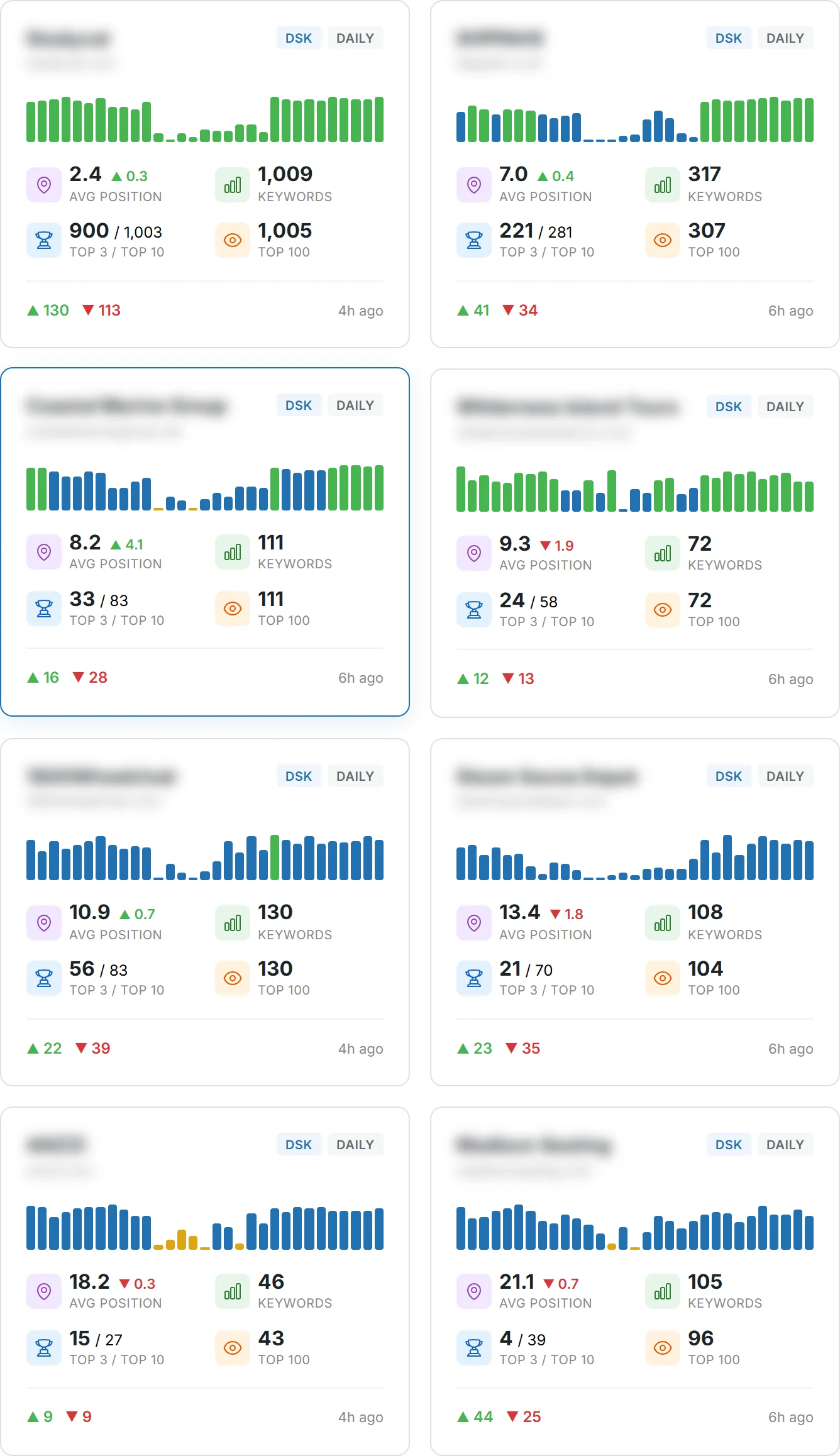
Use Search Console data to spot trends that prove whether your tweaks actually move the needle. The platform ties queries to clicks, impressions, and average position so you can judge which content earns visibility in google search.
Performance report: review which queries drive clicks and where positions change over time. Use device and country filters to compare audiences. Identify pages with many impressions but low CTR, then refine titles and descriptions to win more clicks from the same search results.
Coverage and Enhancements: check indexing status and fix errors that stop a page from appearing in search results. Use URL Inspection after a fix, and submit or refresh sitemaps when you add major sections so the site is discovered faster.
Pair Search Console with PageSpeed Insights and WebPageTest to find performance issues that harm engagement. Build dashboards combining these tools so stakeholders see trends at a glance and you can set weekly or monthly review cadences.
| Report | What to check | Action | Why it matters |
|---|---|---|---|
| Performance | Queries, clicks, impressions, avg position | Prioritize pages and update content | Shows where you gain or lose visibility |
| Coverage | Indexed, errors, excluded | Fix errors, re-inspect URLs, submit sitemaps | Indexed pages are eligible for engine results |
| Enhancements | Mobile Usability, structured data | Resolve mobile issues, apply tags | Improves search results presentation |
| Filters & comparisons | Device, country, page | Segment data and test hypotheses | Reveals audience-specific issues |
Conclusion
Finish with a clear plan: prioritize helpful, unique content, a logical site structure, and reliable performance that improves over time.
Focus on user value by writing clear answers, concise titles, and readable pages so people and users find what they need. Align internal links, sitemaps, and on‑page elements to make discovery and indexing reliable and to protect long‑term visibility.
Monitor results with Search Console and performance tools, avoid manipulative link schemes, and invest in ethical outreach. Over months, these steady steps compound into stronger ranking and better search results for your website.
FAQ
What is the difference between crawling, indexing, and serving in Google Search?
Crawling is when search engines send bots to discover pages on your site. Indexing is storing and organizing that content in the search engine’s database. Serving is when Google selects and displays a page in search results for a user query. You should check your site’s coverage in Google Search Console to see which pages are indexed and fix any crawl errors or blocked resources to improve visibility and ranking.
How can you check if your pages are indexed quickly?
Use the site: operator in Google Search (site:yourdomain.com/page) to see if a page appears. For more detail, open Google Search Console’s Coverage report or use the URL Inspection tool to request indexing. Submitting a sitemap helps signal important pages, while earning links from other sites can speed discovery naturally.
Should you submit a sitemap or rely on links to discover new pages?
Both. Submit a sitemap in Google Search Console to give search engines a clear list of important pages and update frequency. At the same time, earn internal and external links to help crawlers find pages and to pass authority. Use canonical tags and redirects to avoid duplicate content problems.
Where should you place your main keyword in page content?
Place your main keyword early and naturally—within the first 100 words, in the title tag, and in a descriptive H2 or H3 when it fits. Avoid overuse; keep keyword density low and focus on helpful, readable content that answers user intent. Use related terms and phrases to broaden topical relevance.
How do you write unique titles and meta descriptions?
Write concise, accurate titles that communicate the page’s purpose and include your main phrase once. Craft meta descriptions that summarize the page’s value and include a call to action when relevant. Make sure each page has a unique title and description to prevent duplicate snippets in search results.
What is the correct use of heading tags?
Use a single H1 per page that reflects the main topic. Use H2 and H3 tags to create a logical content hierarchy and improve scannability for users and search engines. Headings should be descriptive and contain relevant keywords naturally without forcing them.
How do you craft concise and compelling titles for users and search engines?
Keep titles under about 60 characters so they don’t truncate in search results. Lead with the most important words, include your main phrase, and add a unique selling point or context to encourage clicks. Test variations and monitor click-through rates in Google Search Console.
How should you structure URLs and breadcrumbs for better navigation?
Use descriptive, short URLs that reflect the page topic and include readable words rather than long query strings. Implement breadcrumb markup so users and search engines understand site hierarchy. Group similar pages in logical directories to reinforce topical clusters.
What can you do to reduce duplicate content across your site?
Use 301 redirects for removed or consolidated pages, set rel=canonical tags for similar pages, and avoid creating near-identical pages for different parameters. Keep content focused and unique for each page to prevent dilution of ranking signals.
How do you design for mobile-first indexing and readability?
Use responsive design to ensure the same content and structured data appear on mobile and desktop. Improve font sizes, tap targets, and layout so readers can scan content easily. Test pages with Google’s Mobile-Friendly test and monitor Core Web Vitals for performance metrics.
How can you avoid intrusive interstitials and poor ad experiences?
Avoid full-screen pop-ups that block content on page load. Use lightweight, timed banners or inline notices that are easy to dismiss. Ensure ads don’t cause layout shifts or degrade page speed; that improves user experience and search visibility.
Which tools should you use to benchmark site speed?
Use PageSpeed Insights and WebPageTest to measure performance metrics like Largest Contentful Paint and Cumulative Layout Shift. Track Lighthouse scores and implement recommendations such as compressing assets, enabling HTTP/2, and leveraging CDNs to improve load times.
What image optimizations help page speed and search visibility?
Compress images, use modern formats like WebP when supported, and implement lazy loading for offscreen images. Give images descriptive filenames and meaningful alt text so visually impaired users and search engines can understand the content. Add structured data for images when relevant.
How should you optimize videos for search?
Host videos on fast platforms or your own CDN. Add descriptive titles, transcripts, and detailed descriptions on standalone pages. Use schema videoObject markup and include a clear poster image and captions to improve accessibility and indexing.
How do you use internal links to strengthen site architecture?
Link related pages with readable anchor text that includes relevant keywords naturally. Use internal links to pass authority from high-performing pages to newer or strategic pages. Keep navigation shallow so important pages are reachable within a few clicks.
What makes content “linkable” and likely to earn backlinks?
Data-driven studies, original research, useful tools, and strong storytelling attract links. Create resources people cite and share—case studies, infographics, and long-form guides—and promote them to relevant sites and journalists to build organic backlinks.
Which backlink tactics are ethical and effective?
Focus on outreach, guest contributions, broken link reclamation, and mentions from reputable publishers. Build relationships with industry sites and use PR to earn natural links. Avoid manipulative schemes such as buying links or creating private networks that violate spam policies.
What key reports in Google Search Console should you use to measure performance?
Use the Performance report to track queries, clicks, impressions, and average position. Monitor Coverage for indexing issues and Enhancements for mobile usability, structured data, and AMP. Use these reports to iterate on content, technical fixes, and site structure.
How often should you review and update content to maintain visibility?
Review high-value pages quarterly and update them when data, standards, or user intent change. Refresh statistics, improve clarity, and add new sections or media to keep pages relevant. Use performance data from Search Console to prioritize pages that need attention.