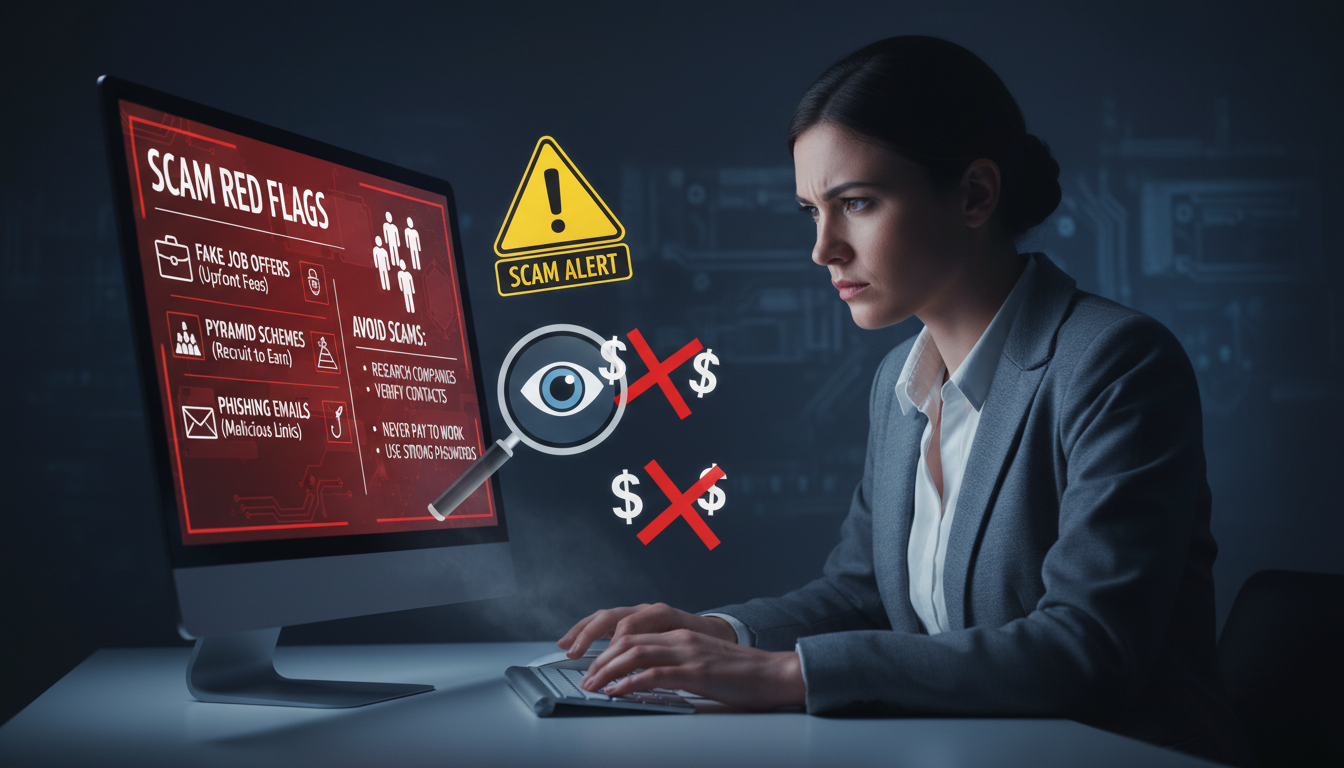
Surprising fact: over 25% of U.S. adults report nearly falling for a digital fraud attempt in the past year, often triggered by a single message.
You navigate a world where one fake email or a deceptive text can lead to stolen information and lost money.
Phishing techniques now mimic big brands and familiar services. Scammers craft urgent tones and realistic logos that push you toward a wrong click.
Protecting your digital footprint starts with quick, easy habits. Learn to spot odd sender addresses, unexpected links, and mismatch branding.
Key Takeaways
- One suspicious message can lead to serious loss—stay alert.
- Verify sender details before you click links or share data.
- Phishing often imitates trusted companies; look for subtle errors.
- Use strong passwords and two-factor authentication for accounts.
- When in doubt, contact the company directly through official channels.
Understanding Common Online Money Making Scams and How to Avoid Them
Many fraudsters rely on panic and deadlines to short-circuit your judgment. You might get a message that sounds urgent and familiar, and then rush into a reply or a payment.
These schemes aim to drain your money—sometimes in one large hit, sometimes by siphoning small amounts over months. Scammers study human reactions and design steps that feel normal until it’s too late.
Understanding the psychology behind a ploy is the first defense. When you pause and verify, you build a mental filter that blocks risky requests and protects your accounts.
Remember that attackers change tactics to reach more people, so staying updated helps you spot new tricks. Always confirm unexpected financial demands through official channels before you act.
- Tip: Slow down, check sender details, and question urgency.
- Tip: Treat any surprise payment request as suspicious until proven legitimate.
Recognizing the Tactics Used by Modern Scammers
Scammers now mix trusted design with urgent language to make you act fast. You should know the signs so you can pause and check a message before you click or reply.
Phishing and Social Engineering
Phishing often arrives as an email or text that urges immediate action. These links can install harmful software or steal personal information from your device.
If a message claims to be from a bank or company, call the official phone number on their website rather than using the link in the message.
Identifying Fake Communication
Watch for subtle errors in emails and messages: mismatched branding, odd sender addresses, and strange attachments.
You can report phishing emails to the Anti-Phishing Working Group at reportphishing@apwg.org. Forward suspicious text messages to 7726 to notify mobile carriers.
- Scammers often harvest details from social media and platforms—limit what you share.
- Check the news for alerts; attackers update tactics to match current events and trending topics.
Essential Cybersecurity Habits for Your Devices
Small changes on your phone and computer stop many attacks before they reach your data. These habits protect your accounts, payment apps, and personal information.
Securing Your Accounts with Authentication
Enable multi-factor authentication on every account that offers it. This extra step blocks unauthorized access even if someone steals your passwords.
Use app-based authenticators or hardware keys for the best protection. Avoid SMS when possible, since text messages can be intercepted.
Keeping Software Updated
You should keep your computer and phone software updated. Updates deliver security patches for new threats and fix vulnerabilities in apps and the operating system.
Watch CISA alerts for urgent patches. If a website or bank warns about a flaw, install fixes right away.
Backing Up Your Personal Data
Back up important files regularly to an external drive or a secure cloud service. A recent backup is the fastest route to recovery after a ransomware attack.
Treat digital security as an investment. Avoid clicking links in an unsolicited email or message. That simple caution prevents phishing attempts and identity theft.
- Quick checklist: enable MFA, update software, back up data, and verify unexpected messages before replying.
- These steps reduce the chance scammers gain access to your bank or payment apps.
Common Fraudulent Schemes Targeting Your Finances
A growing risk is recruitment for financial transfers that make you an unintentional middleman. This practice — often called a money mule scheme — can land you in legal trouble and cost real funds.
The Danger of Money Mules
The FTC reported about $3 billion lost to imposter fraud in 2024. Romance frauds took roughly $823 million that same year via dating apps and social media.
Scammers often pose as government agents or company reps and ask for payment by credit card, gift card, or wire transfer. If someone you met through platforms asks you to send money or move a payment through your bank account, stop and verify their identity.
- Never act as a middleman for transfers from a stranger.
- Refuse requests for financial information, card numbers, or account access.
- Confirm investment offers by calling the company’s verified phone number.
When in doubt, end contact and report the message. Protect your account, identity, and hard-earned funds.
Responding to a Potential Security Breach
If you suspect a breach, act quickly—small delays let attackers dig deeper.
First step: visit IdentityTheft.gov and follow their recovery plan for identity theft. That site lays out checklists you can use right away.
Next, update your computer security software and run a full scan if you clicked a suspicious link or opened a file. Remove any unknown apps and change passwords on affected accounts.
Contact your bank or credit card company immediately if you see unauthorized charges or think someone has your financial information. Ask them to freeze the card or block transfers.
Report the incident to the right government agency so investigators can track scammers and help other victims. Keep a clear record of the message, phone number, website, and any timestamps.
| Action | When | Who to contact |
|---|---|---|
| Secure identity steps | Immediately | IdentityTheft.gov |
| Scan and update software | Within hours | Your antivirus provider |
| Freeze accounts | Right away if theft suspected | Bank / credit card issuer |
| Document details | Ongoing | Local law enforcement / FTC |
Conclusion
Treat unexpected requests for personal details like red flags until you verify them. Pause, check sender details, and never rush a payment or data share.
Use multi-factor authentication and secure passwords to protect each account. These habits stop most phishing attempts and reduce risk from social media or email prompts.
Remember: anyone can become a victim. Talk with friends and family about clear signs of romance or investment fraud you see in media or messages.
If you get a suspicious message, report it right away to the proper authorities. Your proactive security is the best investment you can make for long-term protection.
FAQ
What are the most common online frauds targeting your bank or card?
Phishing emails and fake bank websites are top threats. Scammers send messages that mimic your bank, ask you to click links, and request login or card details. Malware delivered via attachments can capture passwords. Always log in through your bank’s official app or type the URL yourself, enable two-factor authentication (2FA), and never provide full card numbers or PINs over email or text.
How can you spot a phishing email or text message?
Look for poor grammar, urgent language, and mismatched sender addresses. Links that don’t match visible text and unexpected attachments are red flags. If a message pressures you to act now or asks for personal data, contact the company using a verified phone number or website before responding.
What should you do if a stranger on a dating app asks for money?
Don’t send cash, gift cards, or crypto to anyone you’ve never met. Romance scams often build trust, then request funds for emergencies. Verify identity via video chat, check social profiles, and never share bank details. If you’ve sent money, report it to your bank and the dating platform immediately.
How do money mule schemes work and how can you avoid becoming one?
Scammers recruit people to receive and forward stolen funds, often via job ads promising easy pay. This makes you legally liable for laundering. Avoid jobs that ask for access to your bank account, refuse to accept or transfer funds for others, and research employers through Better Business Bureau or LinkedIn.
Are investment and crypto offers that promise guaranteed returns legitimate?
No. Guaranteed high returns with low risk are classic signs of fraud, including Ponzi schemes. Verify registrations with the SEC or state regulators, check for independent reviews, and be skeptical of unsolicited investment tips on social media or messaging apps.
How can you secure your accounts and devices against hackers?
Use strong, unique passwords and a reputable password manager. Turn on 2FA using an authenticator app or hardware key rather than SMS when possible. Keep your operating system and apps updated, install antivirus software on PCs, and only download apps from official stores like Google Play or Apple App Store.
What steps should you take if you think your identity has been stolen?
Freeze your credit with major bureaus (Experian, TransUnion, Equifax), change passwords, notify your bank and credit card companies, and report identity theft to the FTC at IdentityTheft.gov. File a police report if necessary and monitor your credit report for unauthorized accounts.
How do scammers use social media and messaging platforms to trick you?
They create fake profiles, hijack accounts, or circulate malicious links and investment pitches. They also impersonate friends to ask for favors. Verify identity before clicking links, review privacy settings, and be cautious of unsolicited messages offering deals or asking for money.
What are red flags for job and work-from-home offers?
Be wary of jobs that require upfront fees, request personal financial info, or promise high pay for little work. Legitimate employers won’t ask you to use your bank account for company transactions or buy supplies with your own funds and then reimburse you via nontraceable methods.
How can you verify whether a website or app is safe before entering sensitive information?
Check for HTTPS and a padlock icon, inspect the domain for typosquatting (e.g., companyname.co vs. companyname.com), read reviews, and confirm contact details. Use security tools like browser reputation extensions and search the company name with terms like “scam” or “review.”
What should you do if you receive a fake government or utility bill demanding payment?
Don’t click links or call numbers in the message. Look up the agency’s official contact info and call directly to confirm. Report scam calls to the FTC and your local consumer protection office. If you paid, notify your bank and dispute the transaction.
Is it safe to click links sent via SMS or messaging apps?
Treat links in unsolicited messages as suspicious. Shortened URLs can hide malicious destinations. When in doubt, go directly to the company’s verified website or app. If a link seems important—like a delivery alert—confirm with the courier through their official tracking tools.
How do you recover if malware infects your computer or phone?
Disconnect from the internet, run a full scan with trusted antivirus software, and remove detected threats. Change passwords from a clean device and restore backups if necessary. If ransomware locks files, consult a professional and report the attack to law enforcement; paying doesn’t guarantee recovery.
When should you contact your bank or credit card company about suspicious charges?
Contact them immediately if you see unfamiliar transactions. Most issuers offer zero-liability for fraudulent charges if reported promptly. Freeze or close affected accounts, request new cards, and review recent statements for other unauthorized activity.
What basic habits reduce your risk of fraud on social platforms and apps?
Use strong privacy settings, limit personal details in profiles, review app permissions, and be cautious accepting friend requests from unknown people. Regularly update passwords and log out of shared devices. Educate yourself about common tactics like impersonation and fake giveaways.