FOR SEO AGENCIES AND FREELANCERS WITH MULTIPLE CLIENTS
STOP RETYPING YOUR SEO PLAN INTO ORDER FORMS. THIS SEO CRM LETS YOU PRESS LAUNCH INSTEAD

TWO JOBS THAT SHOULD BE ONE
Dear Friend,
If you run SEO for more than a few clients, you already know the routine. You build the plan. Then you retype the same plan into order forms, one tool at a time.
Then you chase status in email. Then you hunt for the file that got lost somewhere between three different tools.
None of that is SEO. It's admin. And it eats hours you could spend on the work your clients actually pay you for.
Here's the good news: the plan and the order form don't have to be two separate jobs.

WHAT YOU GET WITH THE SEO PROJECT MANAGEMENT CRM
A kanban board per client, built for how SEO programs actually run.
- A board per client – It sits right next to their brief, their rankings and their orders. There's no cap on how many clients you add.
- Columns you define – Set them up per client and reorder them any time. Mark any column internal and it stays team-only, never shown to the client.
- Launch buttons – Press one and the matching tool opens with the client and keywords already filled in. Nothing gets retyped.
- Campaigns that write their own cards – Finish a plan in the Campaign Builder and the column and cards land on the board with owners already on them.
- Cards with context – Assignees, status, comments and unread badges, plus Google Drive attachments that stay with the deliverable.
- A client view on your subdomain – View-only, showing non-internal columns, with comments allowed. Your clients see progress without asking you for it.
- Status emails under your name – Optional, sent under your own brand. Client replies thread back onto the card (the mailbox is checked every couple of minutes).
- A full delivery history – Every order launched from a card stays attached to it, so you can always see what was done and when.
- A free board – Opening an account is free. No credit card.
Run more SEO programs without more admin. It starts with a free account.
HERE'S A REAL CLIENT BOARD
Monthly columns. Deliverable cards. Every card one click from the tool that does the work.
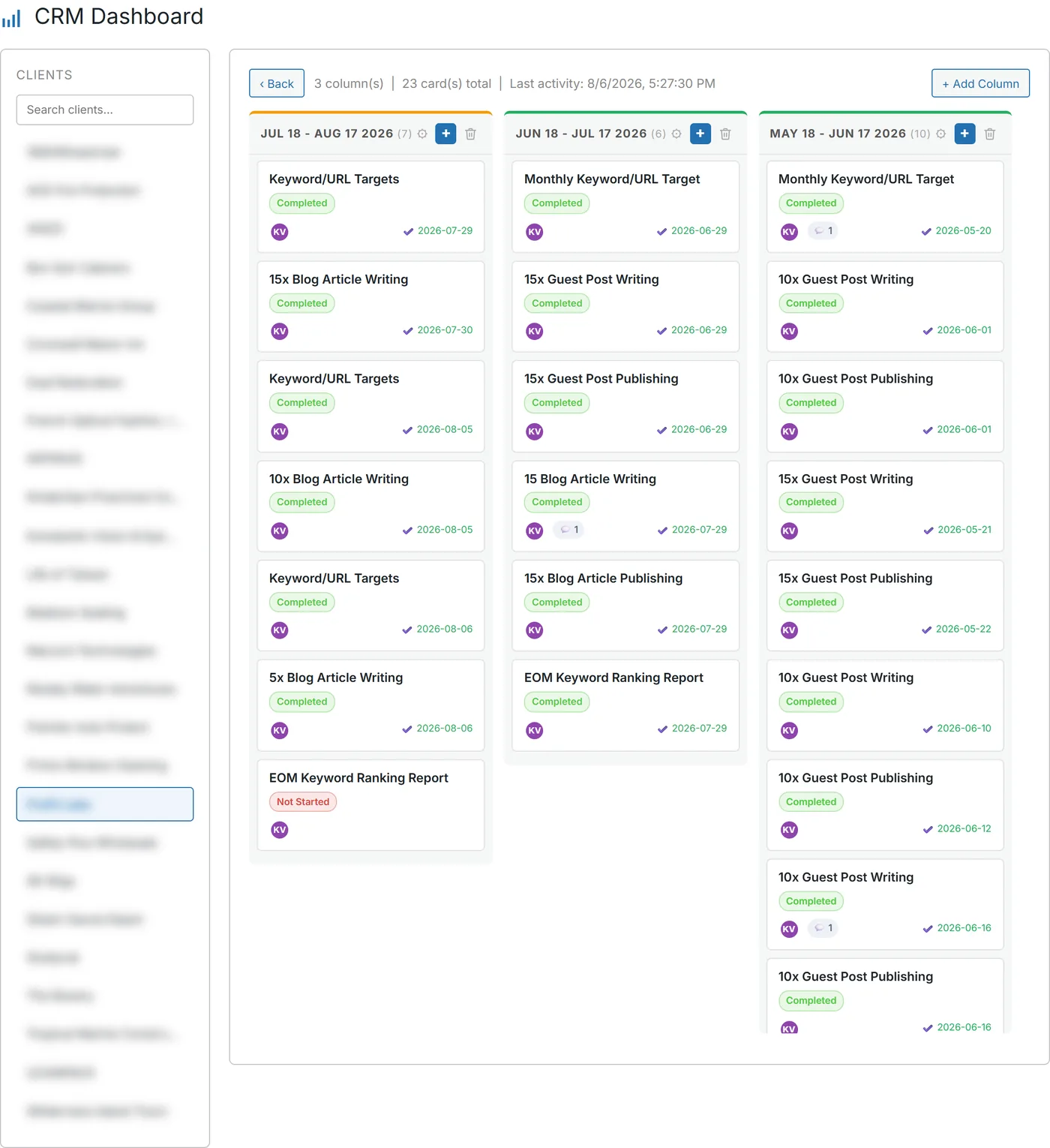
A real client board: months across the top, deliverables as cards, and each card ready to Launch. Plan on the left, work on the right, no retyping between.
A CAMPAIGN WRITES ITS OWN CARDS
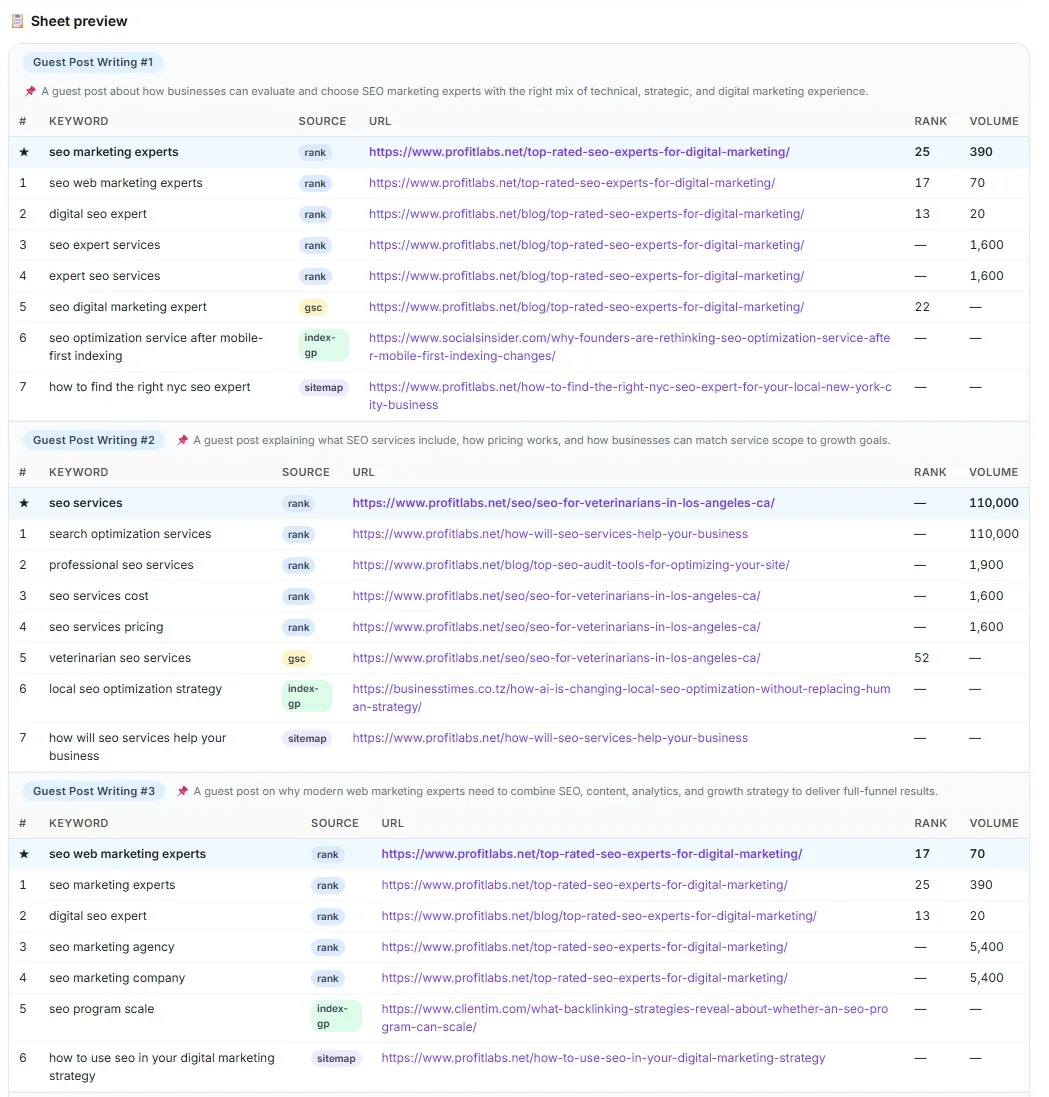
Build your plan in the Campaign Builder. When you finish, the column and the cards appear on the client's board, with owners already on them.
No copying the plan into a spreadsheet. No re-entering it into a task list.
Then open a card and press Launch. The matching tool opens (guest post, press release, syndication, citations, article or maps) with the client and keywords already set.
The order stays attached to the card. That's your delivery history, built as you work.
For what it's worth, 6,033 delivery tasks have run on our own boards. That's our number, not a promise about your results.
YOUR CLIENTS SEE PROGRESS. NOT YOUR INTERNAL MESS.
Your own subdomain. View-only. Internal columns stay private.
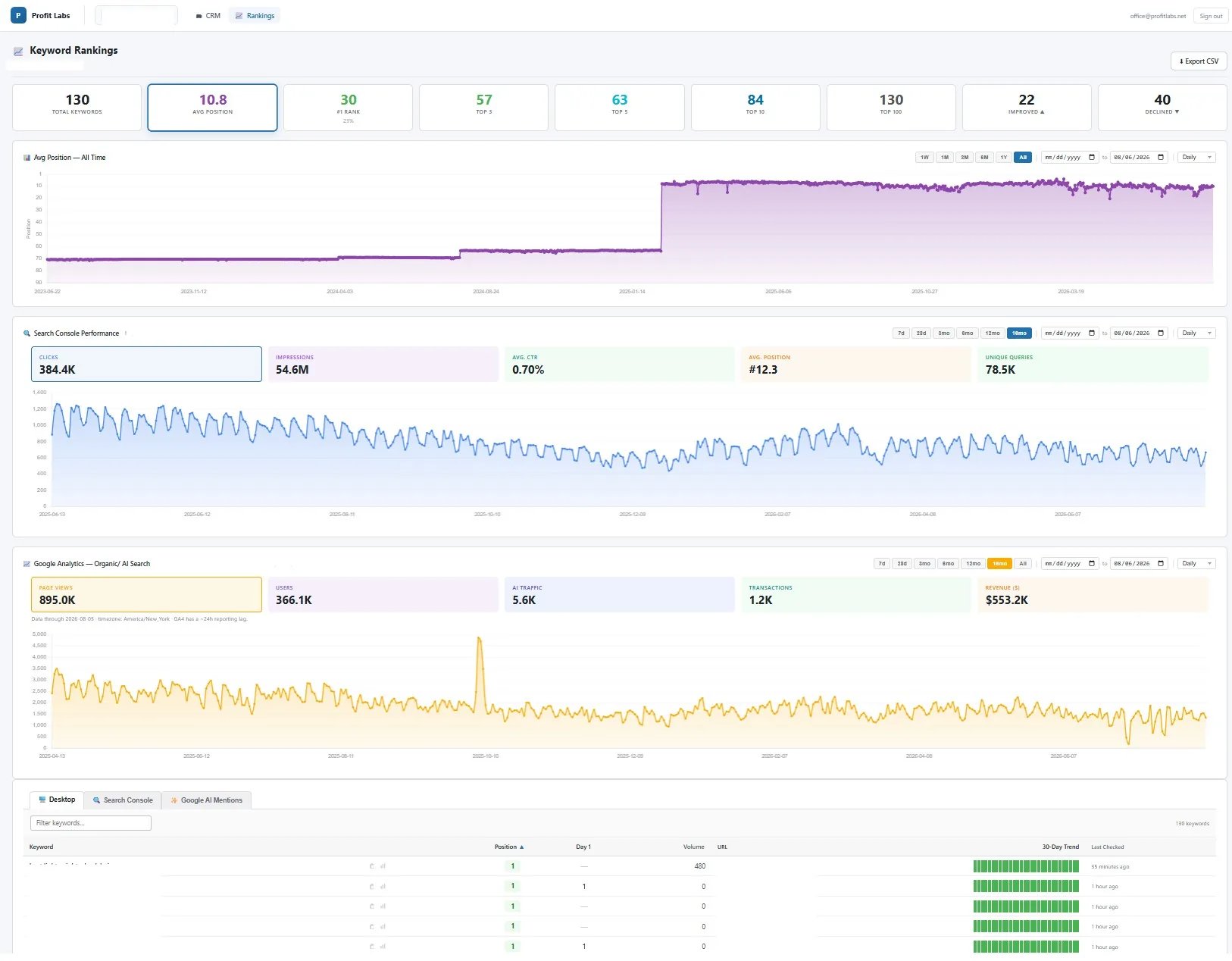
The agency client portal: non-internal columns only, comments allowed. Fewer "any update?" emails, because the update is already there.
HERE'S HOW IT WORKS
Three steps. No retyping.
- 1Build your planCreate a campaign in the Campaign Builder, or just add your own columns to a client's board. Mark any column internal if it's team-only.
- 2Press LaunchOpen a card and press Launch. The matching tool opens with the client and keywords already filled in.
- 3Keep clients in the loopOptional status emails go out under your brand. Their replies land back on the card.
IS THIS RIGHT FOR YOU?
This is for you if…
- You run SEO for several clients as an agency or freelancer.
- You're tired of retyping plans into order forms.
- You lose time chasing status in email.
- You want clients to see progress under your own brand.
This is NOT for you if…
- You need due dates, priority fields or Gantt charts.
- You want general project management outside SEO.
ZERO RISK. THE BOARD IS FREE.
Creating your Profit Labs™ account is free, and you don't need a credit card. Build your boards and add as many clients as you like.
When you launch something that costs money, the cost is shown before anything runs. And where stated, failed runs refund themselves.
FREQUENTLY ASKED QUESTIONS
Is the board really free?
Yes. The board is free, and creating an account needs no credit card. There's no cap on clients.
Can my clients see it?
Yes. They get a view-only client view on your own subdomain. They see the non-internal columns and can leave comments.
Can I hide internal work?
Yes. Mark any column as internal and it's team only, never shown to the client.
How does Launch work?
Press Launch on a card and the matching tool opens (guest post, press release, syndication, citations, article or maps) with the client and keywords already filled in. The order then stays attached to the card.
Does it work with the Campaign Builder?
Yes. Finish a plan in the Campaign Builder and the column and cards land on the board with owners on them.
Do client replies come back to the card?
Yes. With optional status emails on, replies thread back onto the card. The mailbox is checked every couple of minutes.