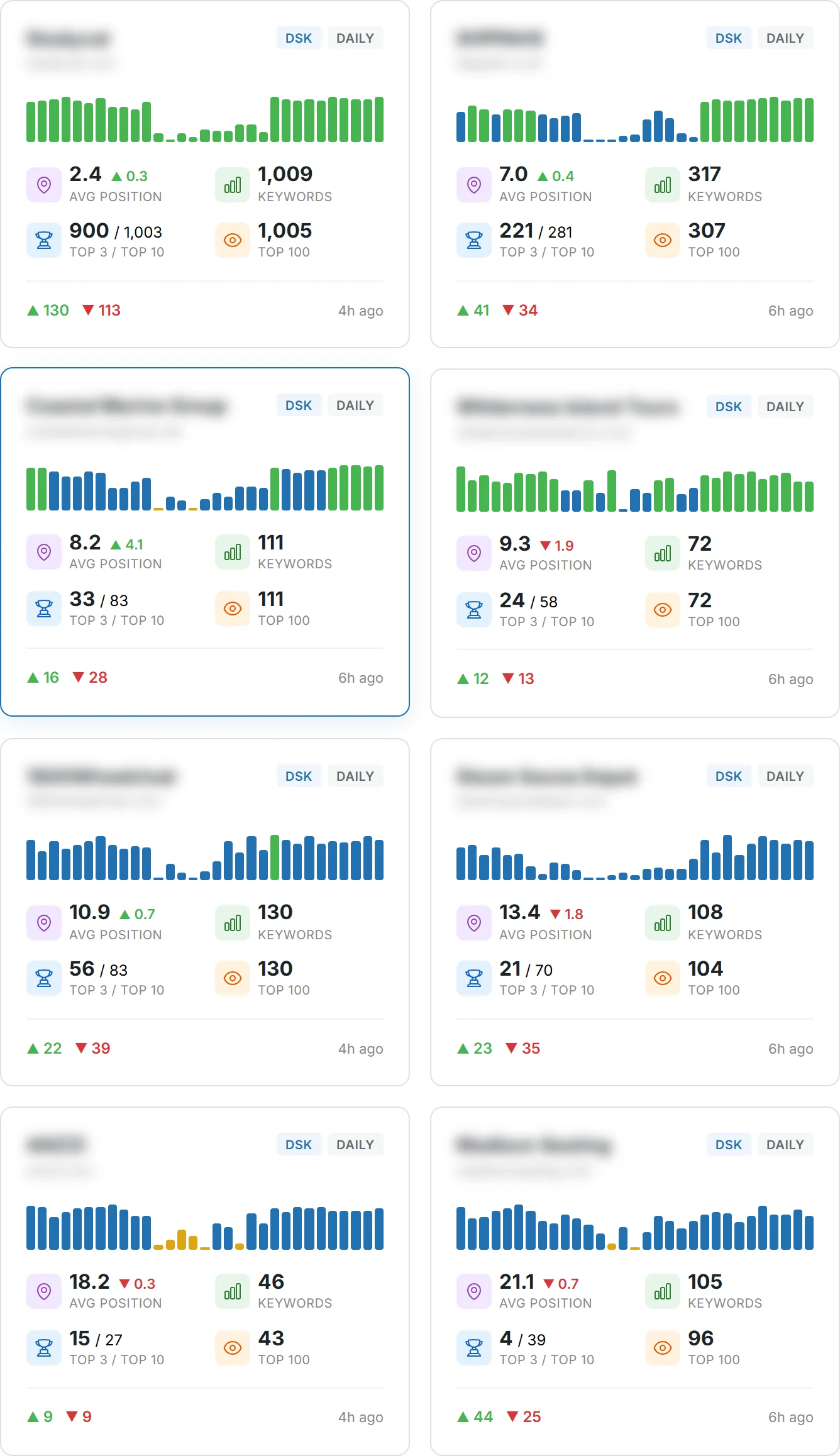
Are you prepared to beat shrinking organic clicks as AI reshapes search?
Search is changing fast, and the right stack helps you move faster and make smarter decisions. AI now takes up more SERP real estate, so your content and data must work harder to win clicks and traffic.
You’ll learn practical ways to combine an all-in-one suite like Semrush with free Google data and specialist solutions. Teams pair Screaming Frog for technical crawling with GA4/GSC and OpenAI integrations, while Clearscope and Surfer sharpen on-page content and relevance.
Expect clear criteria—accuracy, learning curve, and price-to-value—to match your site and users. We’ll show how to track rank, run audits, analyze competitors, and turn insights into action so your pages improve and deliver measurable results.
Key Takeaways
- You’ll see why a focused stack beats an unfocused spend when AI squeezes organic clicks.
- Combine an all-in-one suite with free Google data and niche platforms for best results.
- Prioritize data accuracy, onboarding speed, and price-to-value for faster wins.
- Track ranking, audits, and competitor analysis to drive real page optimization.
- Use real products—Semrush, Screaming Frog, Clearscope, Surfer, and more—to map use cases.
Why SEO tools matter in today’s AI-shaped search landscape
With AI answers taking center stage, your site must compete on clarity, relevance, and speed.
AI overviews are reducing available organic clicks in google search and other search engines. That means simple volume chasing won’t cut it. You need focused keyword research and analysis to find opportunities you can actually win.
AI overviews, squeezed organic clicks, and what that means for you
AI summaries often surface before traditional results. That steals impressions and lowers click rates for many pages.
Teams that win monitor AI SERPs for brand mentions, sentiment, and citations. Semrush tracks Share of Voice across platforms like ChatGPT, Gemini, and Google AI overviews to surface where you lose visibility.
Winning by moving faster: opportunities, analysis, and execution
Move quickly from research to execution by using clustering, briefs, and content optimization workflows. Combine search console first‑party data with third‑party analysis to get a full picture of intent and performance.
Apply technical seo checks so your pages stay crawlable and eligible for any remaining organic clicks. Build a weekly insights cadence to catch ranking shifts early and prioritize pages that can reverse traffic declines.
- Track brand mentions and sentiment to protect Share of Voice.
- Use data-driven analysis to pick winnable keywords over empty volume.
- Align stakeholders with clear features and reports that tie work to business outcomes.
What an SEO tool does and how you should use it
Start by treating platforms as capability layers, not just apps on a bill.
Discovery finds keyword opportunities and measures search volume and intent. Use that data to pick targets that match your audience and traffic goals.
Optimization helps you turn findings into publishable content. Create briefs, run content optimization checks, and use content scoring to cover entities and SERP expectations.
Diagnostics expose site issues. Run technical audits to surface indexation blockers, broken links, duplicate pages, and JavaScript rendering problems.
- Blend crawler output with GA4 and Search Console data to prioritize pages that move conversions.
- Track rank and movement so you validate changes and spot reversals early.
- Layer competitor analysis and backlink analysis to find authority gaps and features to copy.
Examples: Screaming Frog merges GA4 and GSC into crawls and can call OpenAI to generate meta and alt text. Semrush adds AI search visibility to monitor how models summarize your brand.
SEO tools: the product roundup criteria and testing methodology
Each product was judged on accuracy, integrations, and the speed at which your team sees value.
Data accuracy, learning curve, price-to-value, and integrations
Prioritize fresh, accurate data for keyword research, backlink analysis, and rank tracking. You want databases that mirror real search volume and link graphs so recommendations match reality.
Assess learning curve next. Favor platforms with clear onboarding, templates, and reports so your users reach impact fast.
- Compare pricing to features—avoid duplicate subscriptions when one suite covers your needs.
- Require integrations with Search Console, Google Analytics, and CMS/editorial stacks to speed workflows.
- Validate insights quality: prefer products that turn raw data into recommended next steps.
Informational intent: helping you choose by use case, not hype
Match products to what you do day to day: audits, tracking, content optimization, or competitor analysis. Use a standard scoring rubric across contenders to pick fit-for-purpose options.
Stress-test rank stability and alerting for local and global visibility. Include a technical checklist that separates site-wide fixes from page-level optimization.
| Product | Database depth | Integrations | Price-to-value / Best use |
|---|---|---|---|
| Semrush | Very large keyword & backlink databases | GSC, GA4, PPC platforms, reporting exports | From $139.95/mo — best for wide visibility and competitive analysis |
| Ahrefs | Extensive backlink index and content explorer | GSC imports, CSV exports, APIs | Mid-high pricing — ideal for backlink analysis and SERP research |
| Screaming Frog | Site crawl depth; combines GA4/GSC for on-page audits | GA4, GSC, OpenAI integration (desktop app) | $259/yr — strong price-to-value for technical audits and fixes |
All‑in‑one suites for comprehensive visibility
A unified platform gives you a single pane for competitor analysis, paid strategy, and emerging AI search signals.
Semrush: competitor analysis, PPC insights, and AI search tracking
Semrush excels at competitor analysis and paid media intelligence. It surfaces Share of Voice, ad overlaps, and keyword gaps so you can copy winning tactics.
The Enterprise AIO adds AI search monitoring for ChatGPT, Gemini, Perplexity, Claude, and Google AI overviews. For SMBs, the AI SEO Toolkit is an affordable $99/month per domain. Base plans start at $139.95/month and include PPC and social modules.
Ahrefs: content explorer, backlink analysis, and SERP research
Ahrefs shines at backlink analysis and Content Explorer ideation. Use it to map authority gaps, find content that already ranks, and study SERP features across keyword clusters.
Plans start around $108/month. Its database differs from Semrush, so you often learn more by comparing both suites for critical decisions.
How to choose between them for your stack
Decide on integration needs, pricing, and the learning curve for your team. Pick Semrush if you need advanced AI search tracking and ad insights. Choose Ahrefs for link research and content discovery.
- Validate critical data with both platforms when possible.
- Match features to stakeholder workflows and reporting needs.
- Use tracking modules to monitor rank and shifts at scale.
| Product | Starting price | Core strength |
|---|---|---|
| Semrush | $139.95/month | Competitor analysis, PPC, AI search tracking |
| Ahrefs | $108/month | Backlink analysis, Content Explorer, SERP research |
Free Google stack you should master first
Start with Google’s native platforms to build recommendations from real user behavior.
Google Search Console gives first‑party data on queries, clicks, impressions, and average position. Use it to validate indexing, submit sitemaps, and find pages blocked from visibility.
Export query reports and map search terms to page gaps. Filter by device, country, and date range to spot ranking trends that matter for your site.
Keyword Planner, Trends, and Autocomplete provide complementary demand signals.
- Mine Keyword Planner for seed keywords and volume/CPC estimates to shape keyword research.
- Layer Google Trends to validate seasonality and momentum before committing to content production.
- Use Autocomplete to surface long‑tail variants and intent modifiers for better content targeting.
Build dashboards that combine Search Console with Google Analytics to monitor traffic, rank movement, and page performance. Compare Planner estimates with your real data to set realistic targets.
Why this matters: treat the Google stack as your foundation. Use first‑party data to prioritize updates that will actually move traffic and ranking before buying premium subscriptions.
Keyword research and topic clustering at scale
Turn raw query lists into a clear architecture that guides writers and signals authority to search engines.
Semrush’s Keyword Strategy Builder uses a 25.3B keyword database to group queries into pillar and supporting pages. It shows difficulty and volume so you can plan which pages to build now and which to reserve for authority growth.
Keyword Insights clusters up to 200,000 keywords using live SERP data. It surfaces intent labels and reduces cannibalization by flagging overlapping pages before you publish.
Choosing volume vs. topical authority
Chase search volume for fast traffic wins on low-difficulty terms. Invest in topical authority when you need durable rankings and trust for higher-value queries.
- Map keywords into clusters and plan internal links to consolidate authority.
- Analyze intent—commercial, informational, navigational—before assigning pages.
- Track ranking by cluster and iterate briefs based on what actual SERP pages reward.
Validate cluster hypotheses with live SERP checks and update groupings as traffic and rank trends reveal what works.
Content optimization platforms to improve rankings
Content scoring platforms help you turn SERP patterns into clear outlines that match real user intent.
Clearscope and Surfer convert competitive analysis into prioritized briefs. Clearscope uses AI-powered relevance scoring that many large brands trust to measure coverage and entities. Surfer scores pages against live SERP benchmarks and adds workflow integrations—Google Docs and WordPress—so writers edit in place.
Surfer pricing starts at $99 for Essential, $219 for Scale, with Enterprise pricing available. Use tiers to match your publishing volume and collaboration needs.
Use both platforms to:
- Score coverage of target keywords, headings, and named entities.
- Convert SERP insights into outlines that match search intent and reduce content gaps.
- Align briefs with ideal word count, headings, and related terms for each page.
- Integrate Surfer into editorial flows for faster drafts and fewer revisions.
- Track rank improvements after optimization to prove ROI and refine process.
Combine content optimization with internal linking and page UX work. Build repeatable checklists for writers to remove filler and strengthen sections that matter most. Compare performance between platforms over time to refine your approach and scale higher‑impact pages.
Technical SEO crawlers for site health and audits
Start audits by simulating a crawler to see how search engines read your pages in practice.
Screaming Frog runs as a desktop app and simulates bot crawling to map indexation and on‑page issues. It costs $259/year and finds broken links, duplicate pages, metadata problems, redirects, and internal link gaps.
The app supports full-site crawls or targeted URL lists and pulls in Google Analytics and Search Console data to surface pages that drive traffic and conversions. Its OpenAI integration can generate meta descriptions and alt text at scale.
Screaming Frog: desktop crawling, GA4/GSC/OpenAI integrations
Run combined crawls with GA4 and search console data so you can prioritize fixes that move the needle. Export actionable reports and assign owners for each issue to speed delivery.
Sitebulb vs. Screaming Frog: when visualization or cloud matters
Sitebulb offers richer visual reports and cloud server plans from about $245/month for scalable audits. Choose Sitebulb when you need team-friendly dashboards and scheduled cloud runs.
| Feature | Screaming Frog | Sitebulb |
|---|---|---|
| Pricing | $259/year | $245+/month (cloud) |
| Strength | Speed, flexibility, desktop integration | Visualization, cloud scalability |
| Integrations | GA4, Search Console, OpenAI | GA4, Search Console, cloud reporting |
Prioritizing fixes: internal links, page speed, and duplicate content
Triage by impact: patch internal link gaps, speed problems, and duplicate content first. Map redirects and canonical tags to stabilize indexation.
Re-crawl to confirm fixes, identify orphan pages, and add contextual links. Track ranking and traffic after technical updates to validate outcomes and refine your workflow.
AI assistance and automation for scale
Smart assistants help you brainstorm angles, draft briefs, and hand off tasks to writers fast.
Use ChatGPT for quick ideation and brief drafts and rely on Claude when you need longer context and deeper discussion. Both accelerate strategy and free your team for higher‑value work.
Gumloop builds no‑code agents that run workflows, pull Semrush data, and post outlines to Google Docs or Slack. A Starter plan at about $97/month often offsets time spent on repeated reporting.
Track AI search presence with Semrush Enterprise AIO or ProductRank.ai to measure Share of Voice and sentiment. Those services surface emerging queries that you can turn into pages before rivals do.
- Automate competitor monitoring, outline generation, and reporting without code.
- Document prompts and flows so any user can reproduce results at scale.
- Embed checks to protect brand voice and factual accuracy in generated drafts.
| Service | Primary use | Key feature |
|---|---|---|
| ChatGPT | Brainstorming & brief drafting | Fast prompts, iterative ideas |
| Claude | Long‑context strategy | Extended context handling |
| Gumloop | No‑code automations | Agents, integrations, $97 starter |
| Semrush AIO | AI search tracking | Share of Voice across models |
| ProductRank.ai | AI presence monitoring | Brand mentions in AI answers |
Rank tracking, reporting, and dashboards
Position monitoring across locations helps you spot regional opportunities early.
SE Ranking for local and global tracking
Use SE Ranking to monitor positions across cities, countries, and device types. It updates frequently so you catch drops and gains quickly.
The platform also monitors backlinks and runs website audits. That helps you find lost links, prioritize outreach, and fix site issues that block ranking.
Looker Studio and GA4 for stakeholder reporting
Blend Looker Studio with GA4 and search exports to build clear dashboards for leadership. Tie ranking moves directly to traffic and conversions so reports show business impact.
Keep reports simple and visual. Segment by page type or topic cluster, add annotations for launches, and create alerts for critical keyword drops.
- Track keyword positions by location and device with frequent updates.
- Monitor backlinks to prioritize outreach and content fixes.
- Layer GA4 conversion data to prove the value of ranking changes.
- Export weekly and monthly reports and add annotations for major events.
Backlink analysis, outreach, and digital PR
Start by mapping who links to your rivals, then target pages that will lift conversions when they link to you.
Audit backlink profiles to find authority gaps versus key competitors. Use Ahrefs and Semrush to surface referring domains, anchor trends, and toxic links.
Prioritize pages that drive conversions and rankings. A link to a transactional or high‑value content page often gives more ROI than a general blog mention.
Ahrefs and Semrush for competitor backlink profiles
Both platforms reveal link gaps and competitor strategies. Compare referring domains, broken link opportunities, and authority metrics before you pitch.
Featured and BuzzStream: earning and managing quality links
Featured helps you secure journalist-style backlinks by pitching expert quotes and timely commentary. Use it to win media mentions that carry trust.
BuzzStream scales outreach and relationship tracking. Keep a clean CRM of contacts, templates, and follow-ups to speed campaigns.
- Audit backlink profiles to locate authority gaps against competitors.
- Use Ahrefs and Semrush to find prospects and assess link quality.
- Pitch through Featured to earn media mentions with expert input.
- Manage campaigns with BuzzStream and track link acquisition over time.
| Action | Platform | Outcome |
|---|---|---|
| Find link gaps | Ahrefs / Semrush | Prospect lists and quality scores |
| Earn journalist links | Featured | High-authority media mentions |
| Scale outreach | BuzzStream | Tracked campaigns and templates |
| Maintain authority | Internal workflows | Internal linking and disavow when needed |
Measure impact by correlating new backlinks with rank and traffic changes. Align digital PR with content calendars for launch amplification and keep audits routine to protect site health.
Lightweight browser extensions for on‑page checks
Lightweight browser extensions let you inspect page markup in seconds without leaving search results.
Detailed gives fast, focused page-level insight: titles, meta descriptions, header structure, links, schema snippets, and hreflang tags. Its minimal UI keeps clutter out of your workflow so you can spot issues quickly.
Detailed vs. SEOquake: quick metadata, headers, and schema insight
Use Detailed for instant checks and quick QA. Choose SEOquake when you need Semrush-connected metrics and fuller export options, but expect more on-screen overlays.
- Run instant checks for titles, metas, headers, links, schema, and hreflang.
- Export headings and alt text to audit content at scale.
- Validate canonical tags and structured data without switching apps.
- Speed up pre-publish QA and document issues with screenshots for editors and devs.
- Pair extension checks with crawler data to confirm sitewide consistency.
| Extension | Best for | Key advantage |
|---|---|---|
| Detailed | Fast page-level audits | Minimal UI, schema & hreflang clarity |
| SEOquake | Competitive overlays & exports | Semrush metrics, richer reports |
| Use case | Daily QA | Deeper SERP research |
Trend discovery and competitor traffic context
Spotting rising topics early gives you a timing advantage for content that actually gains traction.
Exploding Topics surfaces themes before they peak, so you can plan pages and formats ahead of broader interest. Use those early signals to sketch briefs, test headlines, and assign quick experiments to writers.
Exploding Topics for early signals
Track category momentum and rising search queries to find gaps competitors haven’t filled. Capture keywords tied to uptrending topics and publish short, focused pieces that can rank as interest grows.
Monitor trend velocity, seasonality, and related phrases. Then fold those findings into your editorial calendar to prioritize high-opportunity content.
Similarweb for traffic sources and audience insights
Similarweb shows where competitors get visitors, which channels move the needle, and how audience overlap looks across sites.
- Validate ideas by checking competitors’ channel mixes and referral sources.
- Size opportunities using competitive traffic estimates and top-performing pages.
- Share audience insights with product and social teams to amplify reach.
| Use case | Exploding Topics | Similarweb |
|---|---|---|
| Primary output | Rising topics and query momentum | Traffic sources, audience overlap, channel mix |
| How to act | Create early briefs and test pages | Validate channels and size opportunity |
| Best outcome | Capture early rankings and backlinks | Prioritize acquisition and content format |
Budget‑friendly suites and alternatives
If budget constraints matter, several affordable suites cover core workflows without enterprise pricing.
Mangools, SEOptimer, and Serpstat: where they fit
Mangools gives a compact kit for keyword research and rank tracking. It’s ideal when you need clear keyword lists, SERP previews, and simple reporting without heavy cost.
SEOptimer runs fast website audits and exports multilingual reports. Use it to surface basic site issues and hand readable recommendations to devs and content teams.
Serpstat supports batch keyword analysis and domain comparisons. It scales for teams that need bulk audits, mass exports, and side‑by‑side domain insights.
- Consider Mangools for affordable keyword research and tracking basics.
- Use SEOptimer for quick audits and clear, shareable reports.
- Choose Serpstat when you need batch analysis and domain comparisons at scale.
- Balance pricing with features and validate that tracking, audits, and exports meet stakeholder needs.
- Start small, map each alternative to gaps in your stack, and reassess quarterly to confirm value.
| Product | Pricing (approx) | Core strength | Best for |
|---|---|---|---|
| Mangools | $29–$79/month | Keyword research, rank tracking | Small teams and solo marketers |
| SEOptimer | $17–$89/month | Fast audits, multilingual reports | Agencies and site owners needing quick checks |
| Serpstat | $69–$499/month | Batch analysis, domain comparison | Teams requiring bulk exports and audits |
How to choose the best SEO toolset for your team
Make choices that solve real workflow gaps, not feature envy.
Map your top priorities—like keyword research, audits, and tracking—before you buy a single subscription.
Match use cases to features, pricing, and learning curve
List your core use cases and rank them by impact: keyword research, content optimization, audits, tracking, and reporting.
Match each use case to required features and expected pricing. Minimize overlap so subscriptions don’t duplicate capability.
Factor learning curve: choose platforms your users will adopt quickly and train them with short SOPs.
Stack strategy: free Google data + core suite + specialized add‑ons
Anchor on free Google data (Autocomplete, Keyword Planner, Trends, and GSC). Then add a core suite—Semrush or Ahrefs—for broad analysis and ranking work.
Layer add‑ons as needed: Screaming Frog for crawling, Clearscope/Surfer for content optimization, SE Ranking for rank checks, Similarweb for traffic context, Gumloop for automation, and ProductRank.ai for AI presence.
- Pilot each platform for ~30 days and measure output gains.
- Include social media and distribution in your content plan.
- Re-evaluate quarterly and document your stack architecture for maintainability.
| Stage | Recommended base | When to add |
|---|---|---|
| First | Google Autocomplete / Planner / Trends / GSC | Always—first-party data foundation |
| Core | Semrush or Ahrefs | When you need comprehensive keyword and competitor analysis |
| Specialized | Screaming Frog, Clearscope/Surfer, SE Ranking, Similarweb, Gumloop, ProductRank.ai | As specific needs (technical audits, content optimization, reporting, automation) arise |
Conclusion
Conclusion
Build a lean stack that starts with first‑party signals and scales with need. Begin with Google Search and Search Console data, then add a core suite like Semrush or Ahrefs plus specialist picks—Screaming Frog, Clearscope or Surfer, SE Ranking, Similarweb, ProductRank.ai, and Gumloop—to move faster and smarter.
Measure weekly: track rank changes, traffic shifts, and conversions so every subscription justifies its cost and features. Lean on AI for speed, but keep human review to protect accuracy and brand voice.
Prioritize page and content optimization that ties to outcomes. Reassess pricing, training, and integrations often as search and AI evolve. Stay focused on useful work and sound technical foundations to earn durable visibility.
Suggested meta: <meta name="description" content="A practical conclusion: start with Google first‑party data, add Semrush/Ahrefs and specialist platforms, then measure rank, traffic, and conversions to guide investments.">
FAQ
What should you look for first when choosing an SEO toolset?
Start by matching your main use cases to features. If you need keyword research, choose a platform with accurate search volume and intent signals. For site health, pick a crawler that finds technical issues like page speed, duplicate content, and broken links. For competitive insights, prioritize backlink analysis, rank tracking, and competitor analysis. Also weigh integrations with Google Search Console and Google Analytics for first‑party data and reporting.
How do keyword research and topic clustering fit into your content workflow?
Use keyword discovery to map search demand, then group terms into topic clusters that support topical authority. Combine search volume, difficulty, and SERP intent to pick targets. Create outlines that match user intent and use content optimization platforms to score coverage. This reduces wasted effort and improves your pages’ chances to rank and drive traffic.
When should you rely on free Google products versus paid suites?
Master Google Search Console and Google Analytics first — they provide query-level, click, and indexing data you can’t get elsewhere. Use Keyword Planner, Trends, and Autocomplete for demand signals. Move to paid suites like Semrush or Ahrefs when you need competitive research, deeper backlink graphs, automated audits, or consolidated reporting for stakeholders.
What are the most important technical checks you should run regularly?
Prioritize crawls for broken pages, redirect chains, and duplicate content. Monitor core web vitals for page speed and mobile usability. Check internal linking, indexation status via Search Console, and structured data/schema. Use grading and prioritization to fix issues that most affect organic performance first.
How do you choose between Semrush and Ahrefs for your tech stack?
Choose based on the features you value most: Semrush tends to excel at competitor analysis, PPC insights, and all‑in‑one reporting. Ahrefs offers deep backlink analysis, a powerful content explorer, and SERP research. Consider learning curve, price‑to‑value, and which integrations you need before committing.
Can AI assistants replace human strategy in search marketing?
AI tools like ChatGPT and Claude accelerate brainstorming, briefs, and content outlines, but they don’t replace human judgment. Use them to scale routine tasks and generate ideas, then apply your domain knowledge and data from rank tracking and analytics to refine strategy and ensure intent alignment.
How should you measure the ROI of your optimization efforts?
Track organic traffic, rankings for target keywords, and conversion metrics in Google Analytics or GA4. Use rank trackers for local/global visibility and backlink monitoring to show improvements in authority. Combine these with reporting dashboards like Looker Studio for stakeholder updates and performance storytelling.
What role do backlinks and digital PR play in your ranking plan?
High‑quality links improve authority and referral traffic. Use Ahrefs or Semrush to identify link gaps and competitor profiles. For outreach, use tools like BuzzStream to manage campaigns and Featured to earn editorial placements. Focus on relevance and placement quality rather than volume.
How can you use lightweight extensions for quick on‑page checks?
Install browser extensions such as Detailed or SEOquake to view metadata, header structure, and schema at a glance. These tools help you spot missing tags, canonical issues, and basic markup problems before deeper audits.
How do you prioritize content topics when resources are limited?
Balance search volume with topical authority and intent. Prioritize low‑difficulty keywords that fit your expertise and can produce quick wins. Use competitor analysis to find content gaps and exploit opportunities where you can rank faster and attract targeted traffic.
What metrics indicate a successful keyword strategy?
Look for improved positions in SERP tracking, higher organic sessions from targeted pages, increased impressions and clicks in Search Console, and better conversion rates. Also monitor engagement signals like time on page and bounce rate to ensure content meets user expectations.
How do you decide which budget‑friendly suite to try?
Map your must‑have features — rank tracking, backlink analysis, or keyword research — then compare price, limits, and learning curve. Mangools and Serpstat are good for smaller teams; SEOptimer suits basic audits. Test trials and evaluate reporting exports and integrations before buying.
What integrations matter most for faster execution?
Prioritize direct connections to Google Search Console and Google Analytics for first‑party data. Look for API access or connectors to Looker Studio for dashboards. Integrations with project management apps and crawling platforms speed audits and fix implementation across teams.
How often should you run site crawls and audits?
Run lightweight crawls weekly to catch new issues and full audits monthly or after major site changes. Increase cadence if you publish frequently or roll out significant code updates. Use alerting for sudden drops in traffic or indexation anomalies.
What’s the best way to monitor emerging trends and competitor moves?
Use trend discovery tools like Exploding Topics for early signals and Similarweb for traffic source context. Pair these with competitor tracking in Semrush or Ahrefs to spot content wins and gaps. This helps you adapt quickly to shifts in demand and search behavior.